Carousel WhatsApp Templates – mark360.ai
Create visually stunning and interactive customer experiences with Carousel Templates using Cloud API.
Note: Carousel Templates are exclusively supported via the WhatsApp Cloud API.
Overview
Carousel Templates allow you to send a single message with up to 10 interactive carousel cards, each presented in a horizontally scrollable format. These cards enhance user engagement by displaying rich media, dynamic content, and call-to-action buttons—all within WhatsApp.
Now fully supported on both mobile and WhatsApp Web, Carousel Templates deliver a consistent and engaging experience across devices.
Creating a Carousel Template in mark360.ai
To create a Carousel Template in mark360.ai:
-
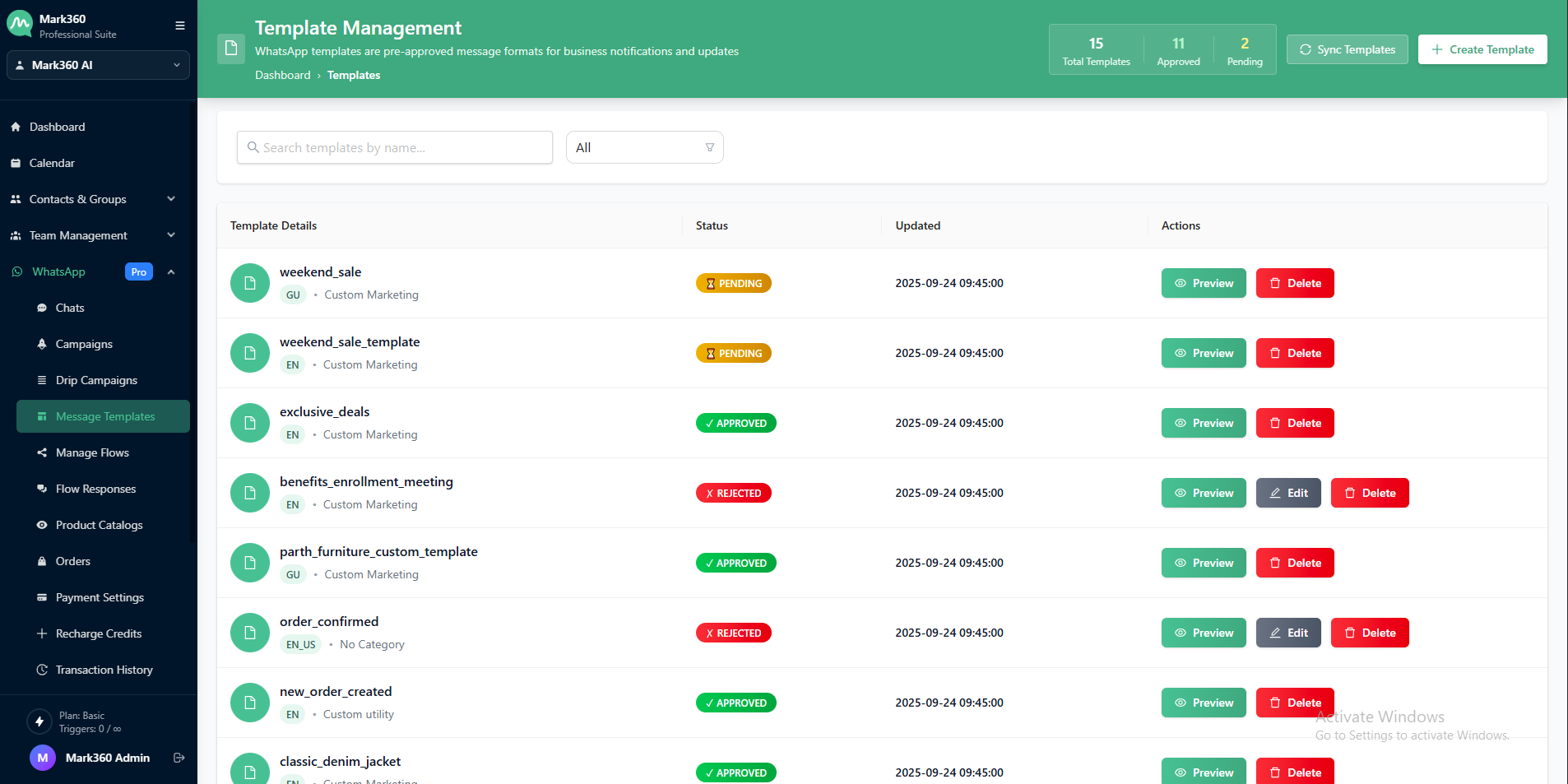
Go to WhatsApp → Message Templates
-
Click on + Create Template
- On the top-right corner, click the ➕Create Template button.
-
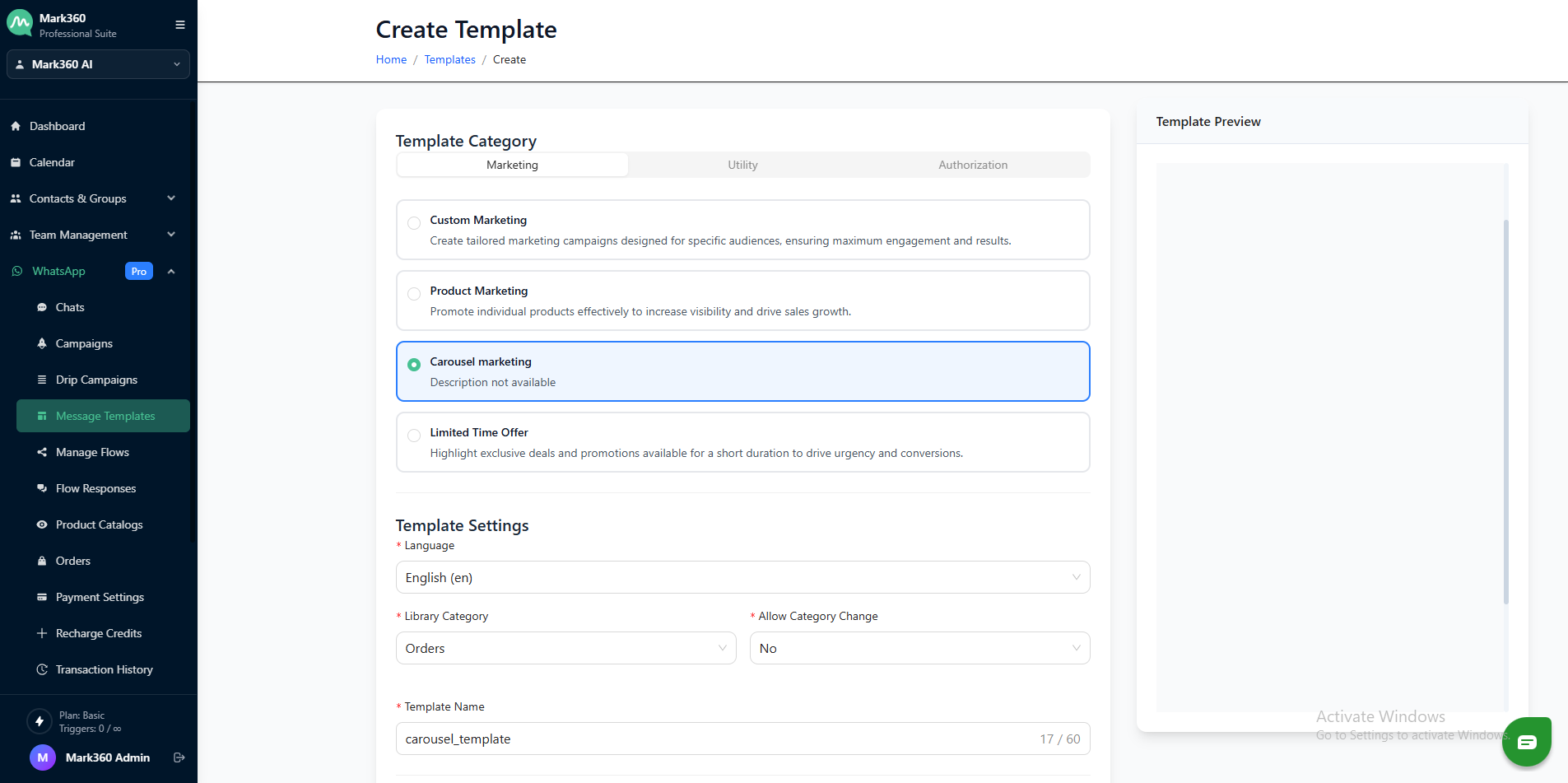
Provide the following details:
- Template Name
- Category: Select
Carousel Template - Allow Category Change: Set to
No - Language: Pick your preferred language
Carousel Format Options
You can select between two types of Carousel layouts:
- Image Carousel: Uses high-quality images as card headers
- Video Carousel: Uses short video clips as card headers
(Accepted file types:.mp4,.3gppwithin 10MB)
Each carousel card includes:
- A media header (image or video)
(Images:.jpeg,.jpg,.pngwithin 5MB) - Body text (your message)
- Up to 2 buttons per card
Button Types
Each card supports two buttons with the following types:
-
Quick Reply (default for Button 1)
-
Phone Number (click-to-call)
-
URL (opens external link)
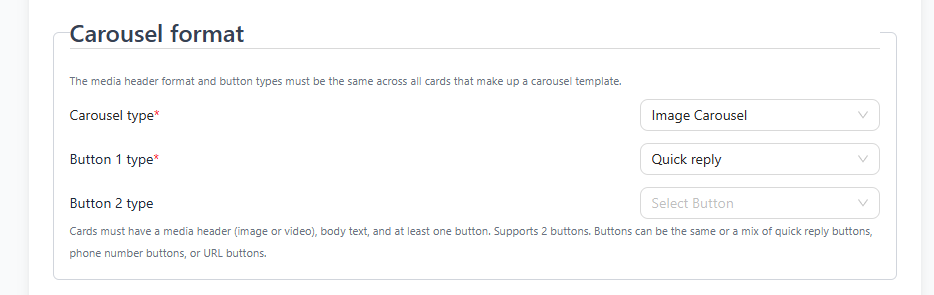
You may use a mix of button types across cards.
Adding Carousel Cards
To add a carousel card:
-
Click on + Add Carousel Card

-
Upload the media header (image or video)
-
Add your card body text
-
Configure the button text and type
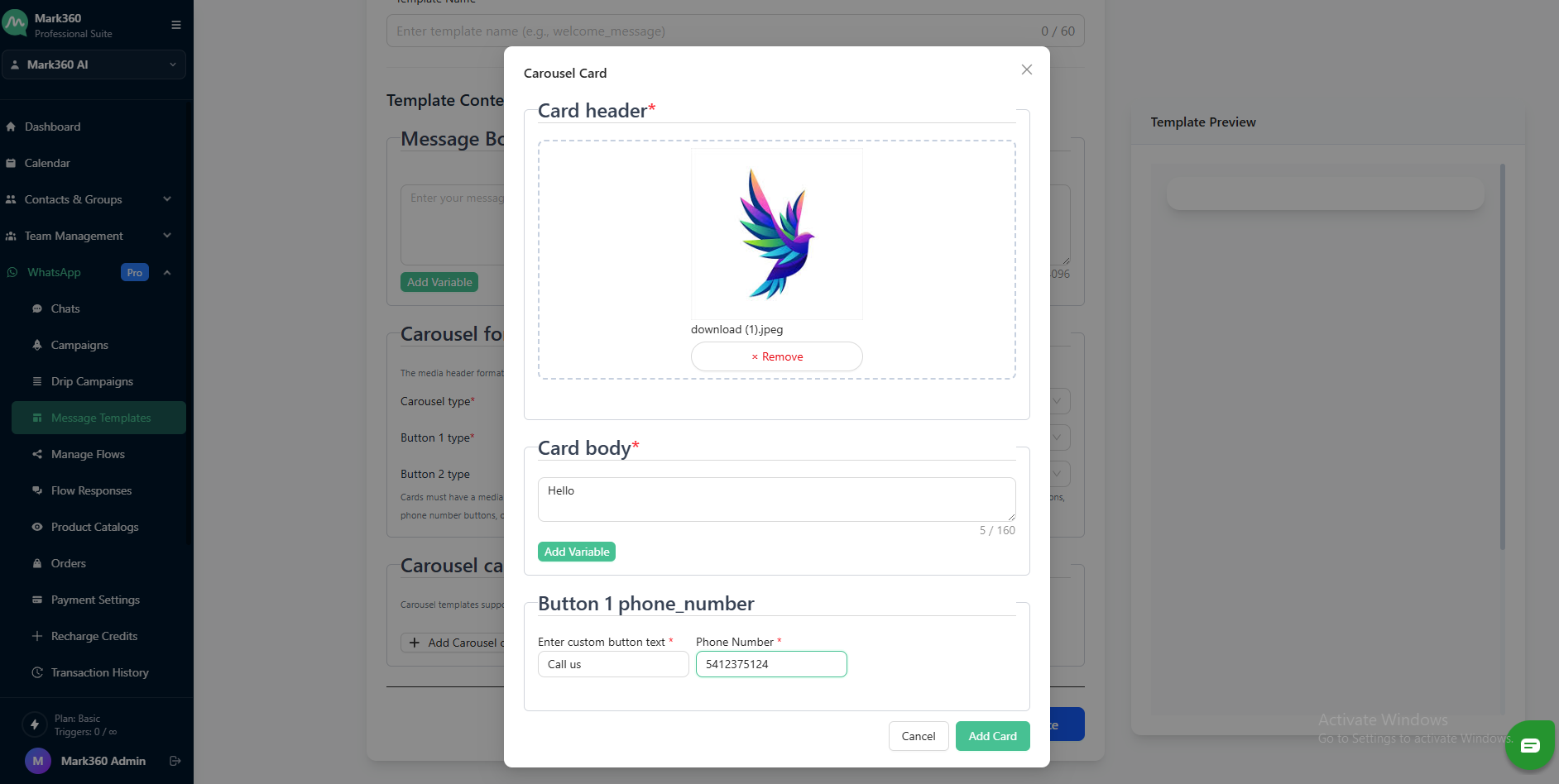
Repeat for up to 10 cards to complete your carousel.
Submit for Approval
Once your carousel format and card content are configured:
- Review your template
- Click Submit
- Your template will be sent to Meta for approval (typically reviewed within 24 hours)
Carousel Templates by mark360.ai offer a powerful way to showcase products, services, or promotions in a rich, scrollable format—helping you drive higher engagement and better customer interaction on WhatsApp.