Establish Connection
Simplify your payment process with WhatsApp Native Payment and Razorpay integration. Enable smooth and secure transactions by connecting your payment account and start accepting payments directly on WhatsApp.
WhatsApp Native Payment
The WhatsApp Native Payment feature streamlines the customer experience for businesses using the WhatsApp Business API. It allows you to send invoices or payment links directly to customers within WhatsApp, making transactions quick and effortless.
This guide walks you through the process of linking your payment account and activating payment options designed specifically for Indian businesses.
Link Your Payment Account
-
To Link your WhatsApp UPI account to Mark360, go to WhatsApp and Click on Payment Settings.
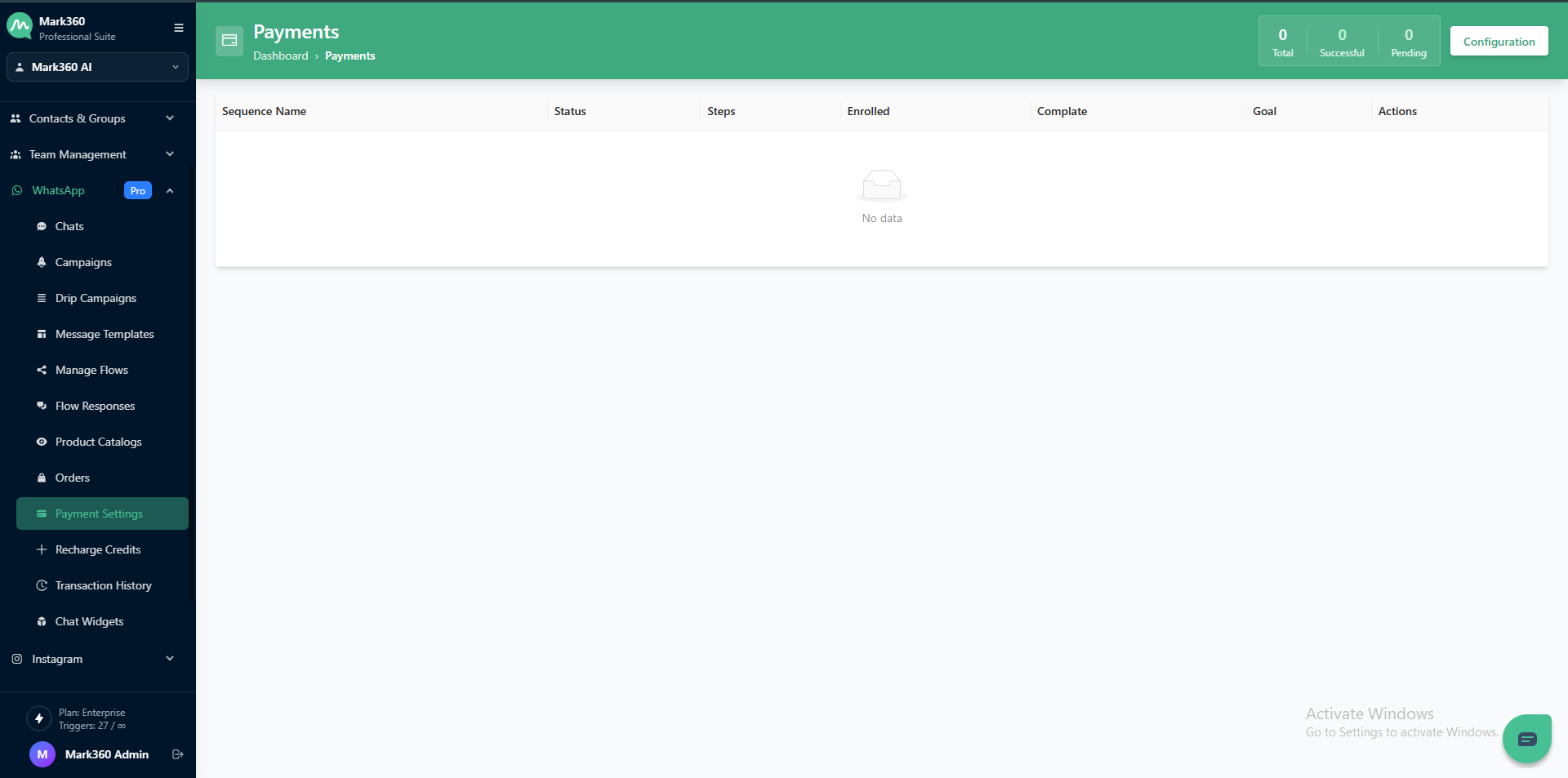
-
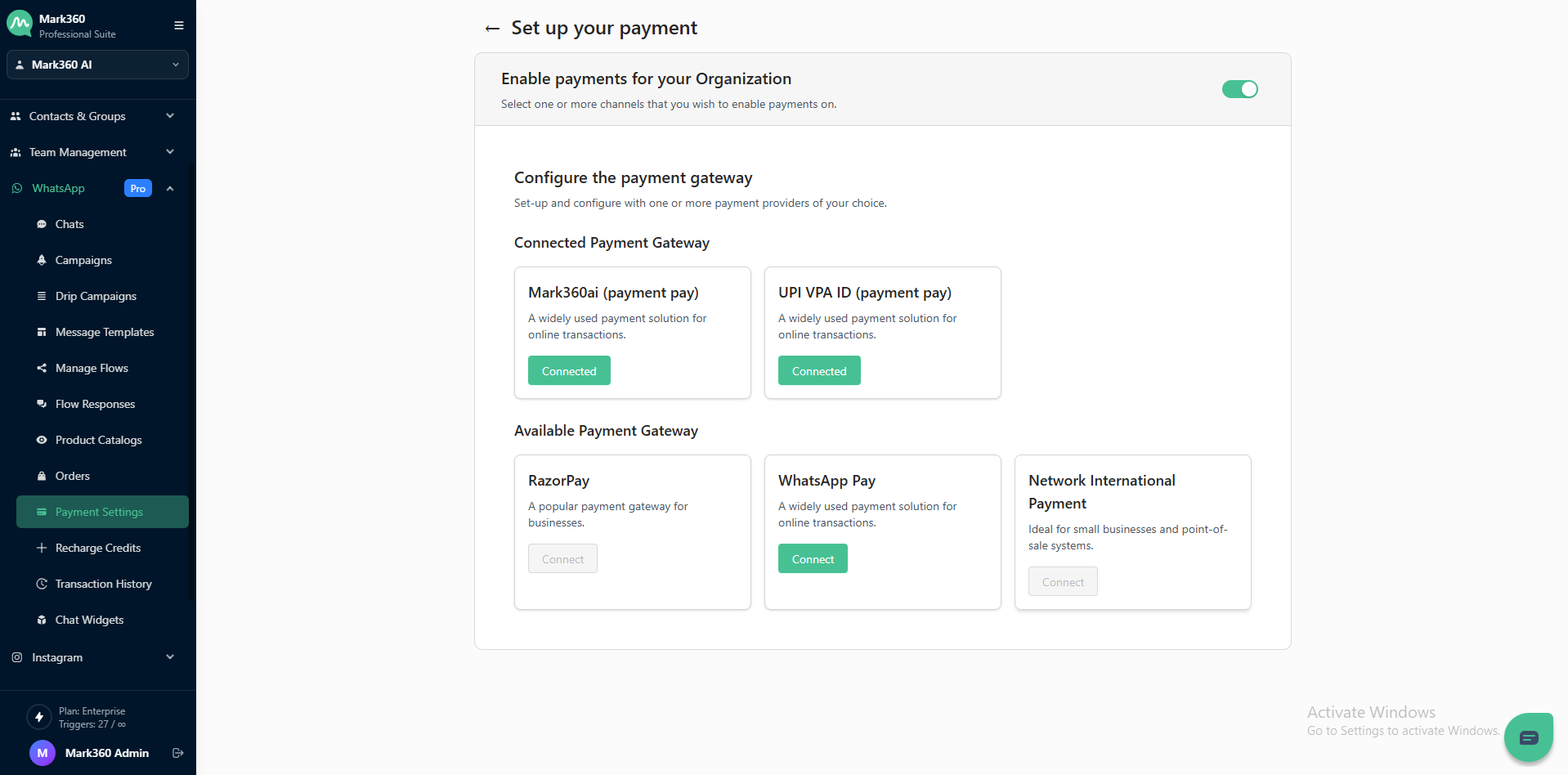
Under Configure the Payment Settings, click on Connect for "WhatsApp Pay".
-
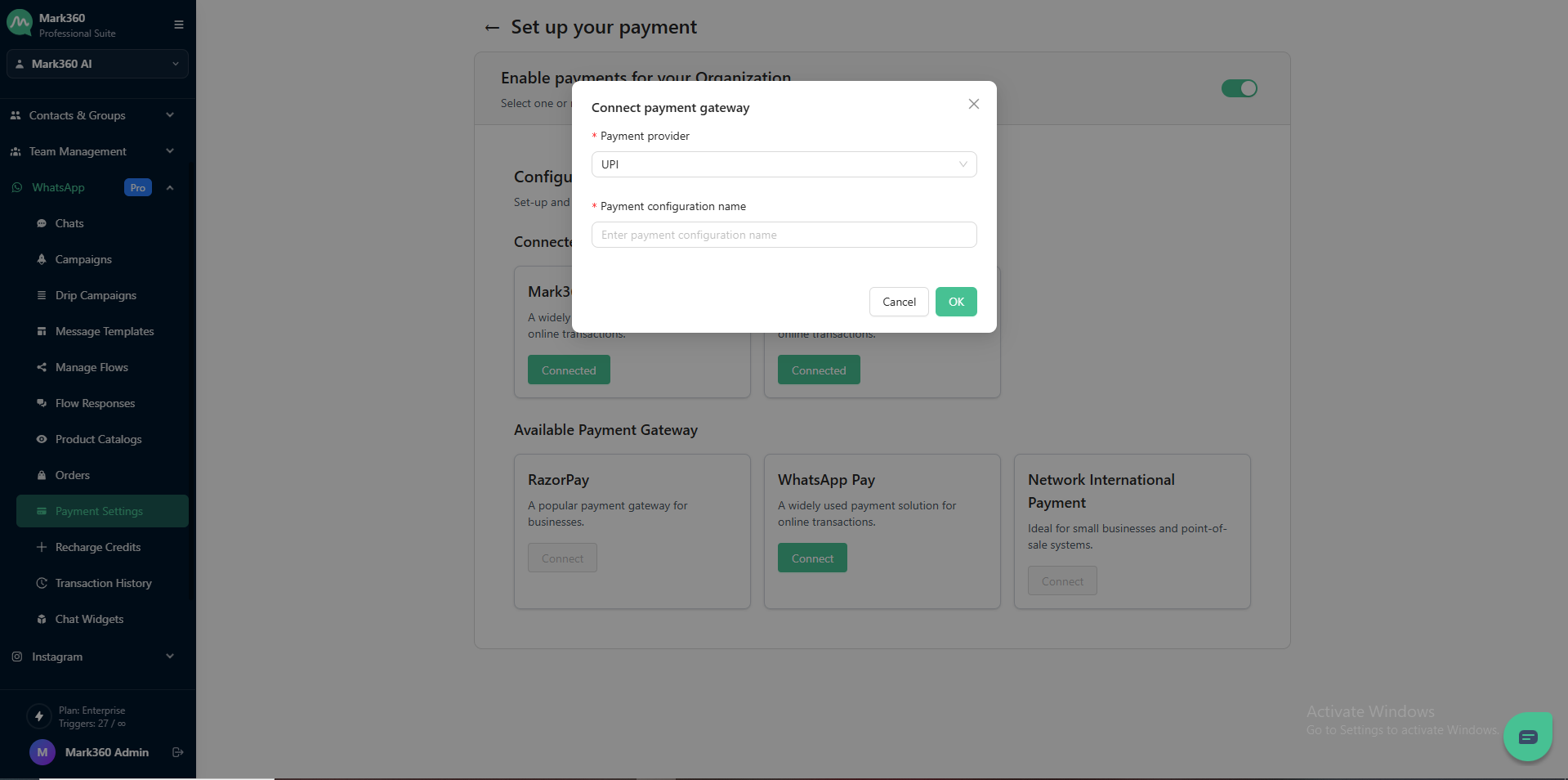
A pop-up will open for you to add the details.
-
update the payment provider and configuration name (on your META SUITE account).
-
Choose the Payment Provider (UPI or RazorPay used in WhatsApp Business Manager) and enter payment configuration name (as used in WhatsApp Business Manager).
-
Click on OK to add another payment gateway to receive payments via Mark360.