Sending Payment Links
Easily request payments on WhatsApp with our simple, step-by-step instructions.
By sharing payment links directly through WhatsApp, you can make the payment process faster, more convenient, and hassle-free for your customers. This guide explains how to create and send payment links effortlessly to streamline your transactions.
-
Go to Whatsapp , Click on Chats and choose the contact you would like to send the Payment link to.

-
Click on Send payment request and the pop-up will open for you to enter details.
-
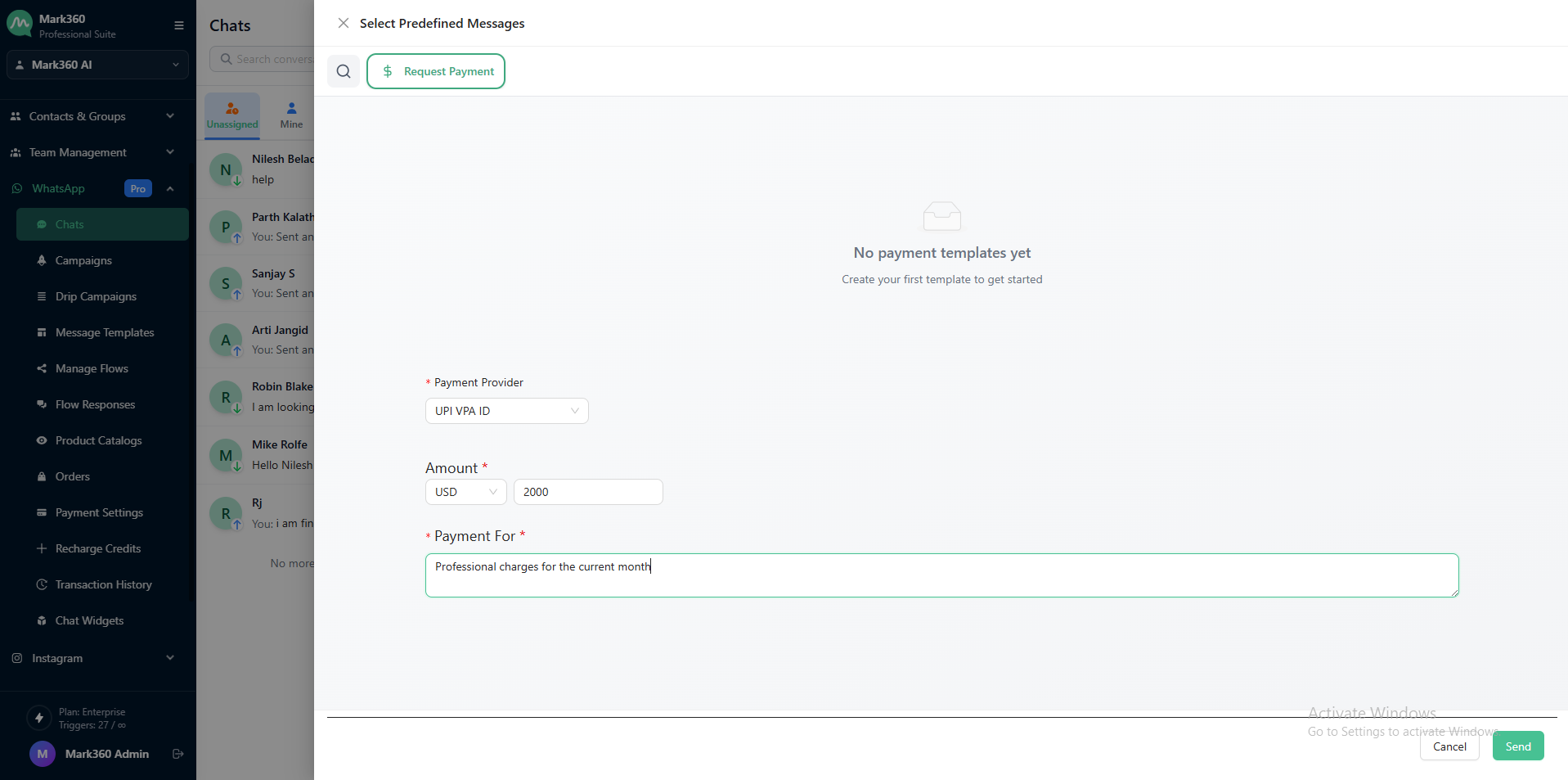
Select Payment provider , Enter the amount and mention the reason for the payment request.
-
Click on Send and you have successfully sent a payment request.
