Receiving Responses from WhatsApp Forms – mark360.ai
Easily access and manage all customer responses collected through WhatsApp Flows using mark360.ai. Whether it’s lead capture, appointment forms, or surveys—your data is organized and actionable.
View WhatsApp Flow Responses
mark360.ai automatically collects all user-submitted responses from WhatsApp Flows and stores them centrally for easy access.
How to Access Responses:
-
Go to Whatsapp in your mark360.ai dashboard.
-
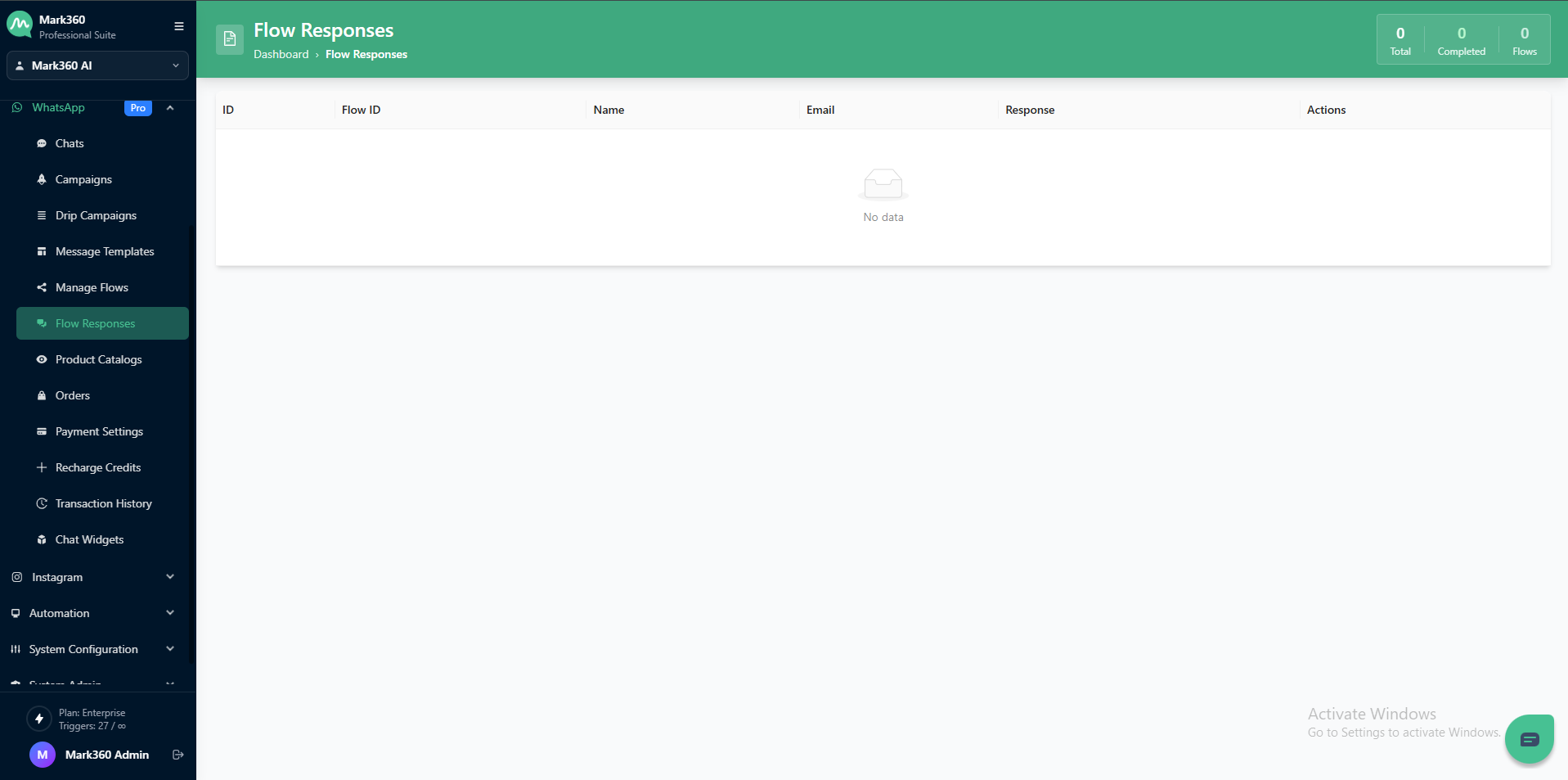
Click on Flow Responses.
-
Click on the specific Flow to view its responses.
Response Table Overview
The Flow Responses page displays all user responses collected through your active flows. It allows you to monitor, analyze, and export responses received from different automation flows.
Each response is listed in a tabular format with the following key details:
| Column Name | Description |
|---|---|
| ID | Unique identifier for each response entry. |
| Flow ID | The ID of the flow from which the response was collected. |
| Name | The name of the contact who submitted the response. |
| The email address of the responding contact (if available). | |
| Response | The actual reply or data submitted by the user during the flow. |
| Actions | Options to view or manage the collected response. |
Summary Overview
At the top right corner, you can view quick statistics:
- Total: Total number of responses received.
- Completed: Number of successfully completed flow responses.
- Flows: Number of active or linked flows.
Note: If no data appears, it means there are no responses recorded yet for any active flows.
Edit or Sync Flow Columns
If your flow has new form fields that aren't reflected yet:
- Click on "Edit Columns" to sync and add the latest data fields.
- You can rename and change the data type for all user-defined fields.
View Raw Response Data
Need to see the entire payload?
- Click on "View Raw Response" to inspect the unprocessed data submitted by users.
- This is useful for debugging, API mapping, or exporting data for custom integrations.
With mark360.ai, all WhatsApp Form responses are centralized, editable, and ready for real-time action—boosting your productivity and response tracking accuracy.