Bot in Mark360
Creating personalized chatbots in Mark360 is simple and efficient.
Whether you’re starting from scratch or using pre-built templates, Mark360 lets you design bots that deliver meaningful and engaging customer interactions.
Explore the world of chatbot creation in Mark360! Follow easy steps to build, edit, and optimize your bots, making conversations smooth and impactful.
Create a Bot in Mark360
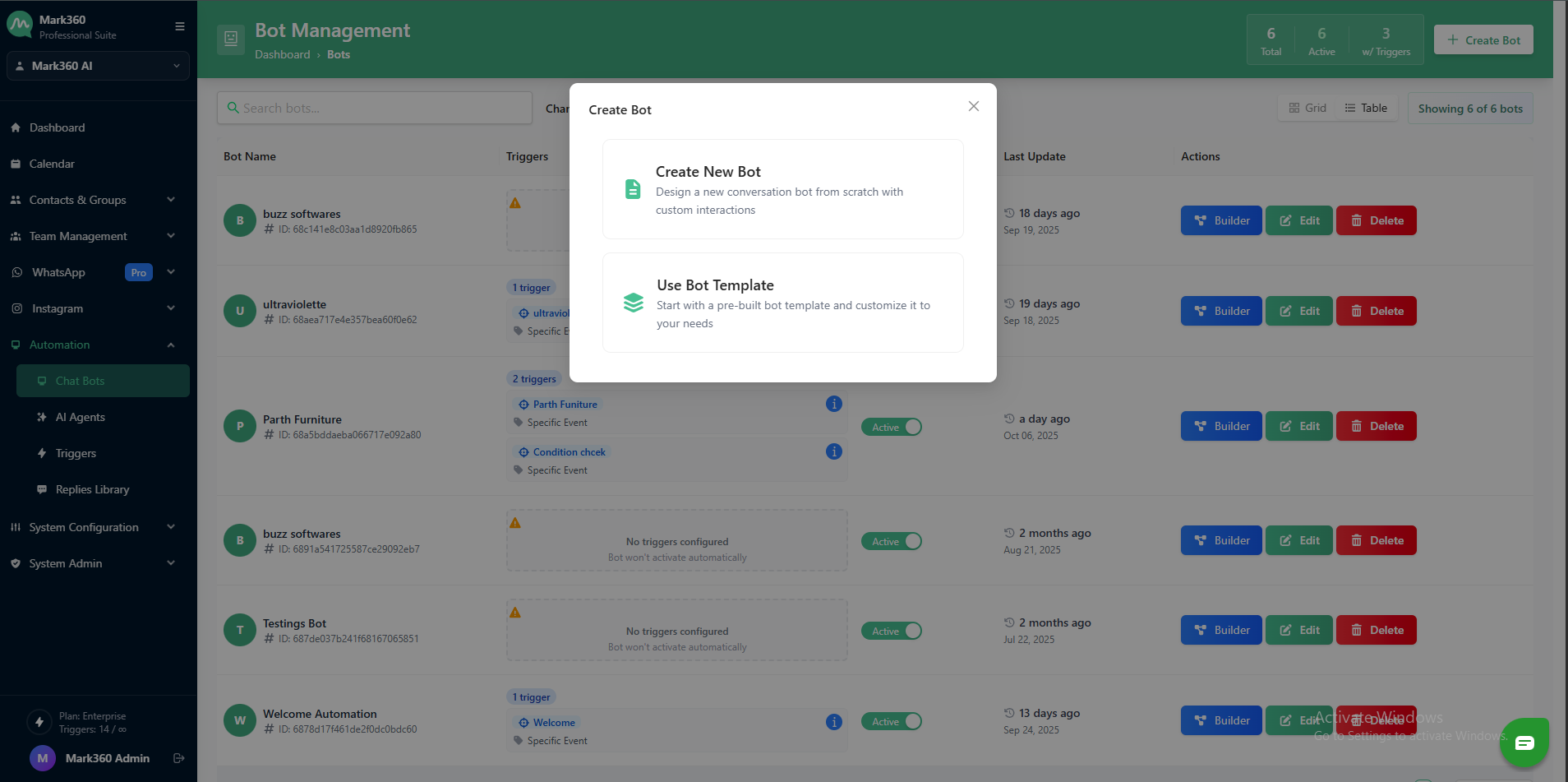
You can create a bot using two different approaches:
-
Start from Scratch – Fully customize your bot from the ground up to meet your unique requirements.
-
Use a Template – Pick from a range of ready-to-use bot templates for faster setup.
Edit or Update a Bot in Mark360
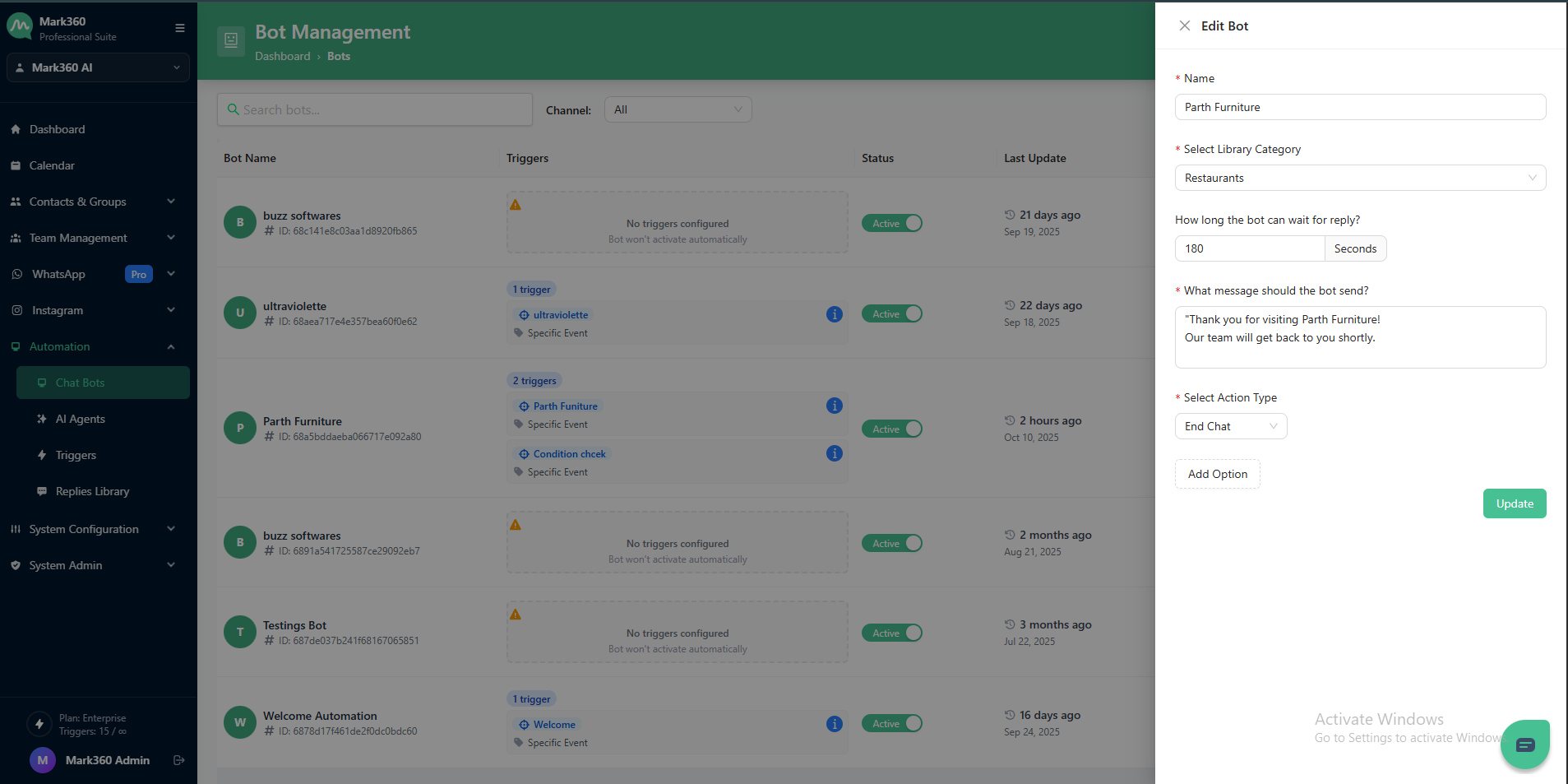
Once your bot is created in Mark360, you can easily make changes to keep it up-to-date and relevant.
You can edit various aspects, including:
-
Bot Name – Update the name to reflect its purpose or campaign.
-
Response Wait Time – Set how long the bot should wait for a user reply after the last question.
-
Post-Wait Message – Customize the message sent to the user if no response is received within the wait time.
-
End-of-Conversation Actions – Define what the bot should do when the conversation concludes, such as triggering an action or redirecting the flow.
Delete Bot
-
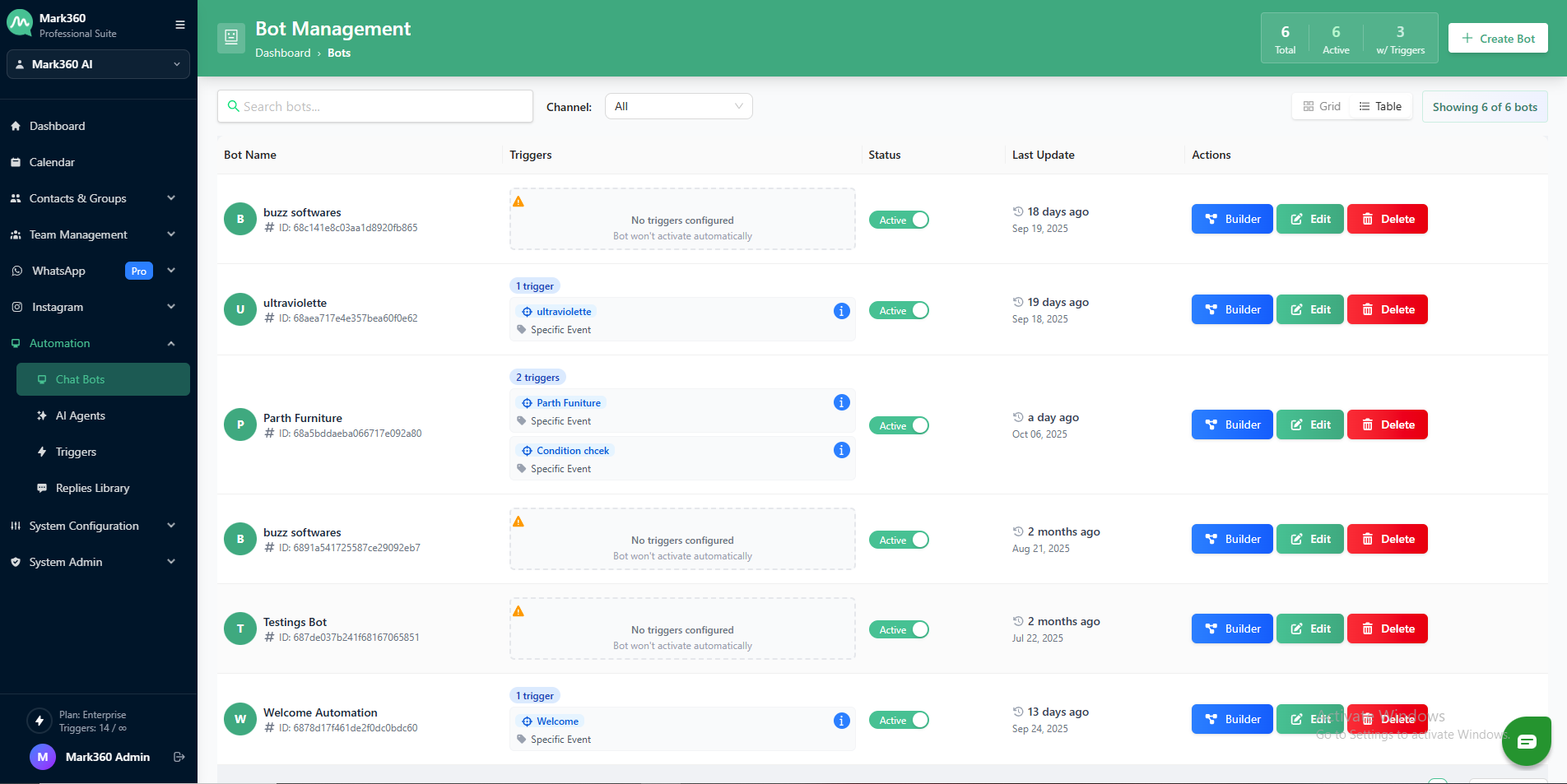
Navigate to the Automation section from your Mark360.ai dashboard.
-
In the Bot List, locate the Bot you want to Delete.
-
On the right side under Actions, click the 🗑️ Delete icon.
-
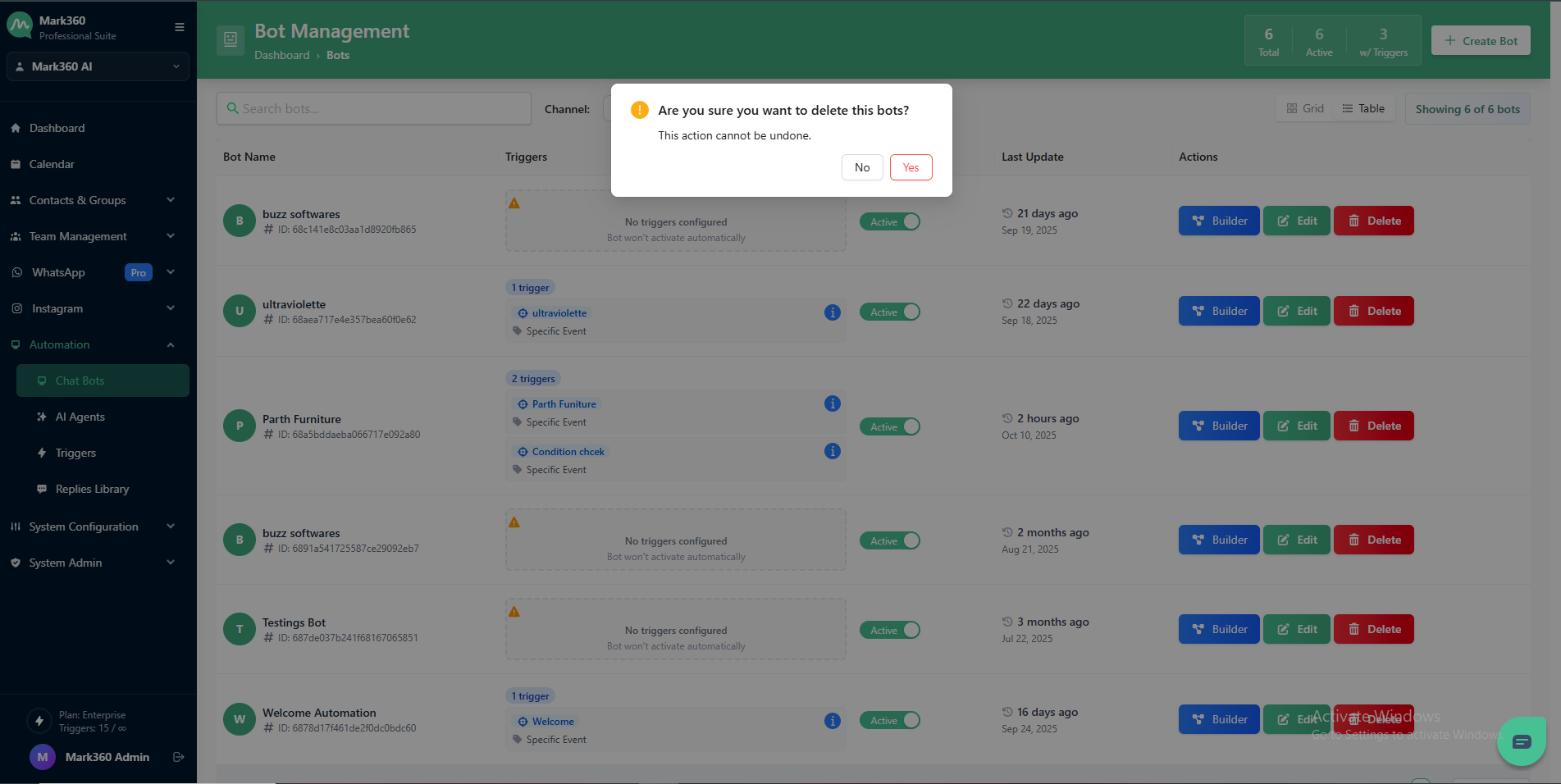
A confirmation popup will appear:
- Click Yes, Delete to confirm.
- Or No if you don’t want to proceed.
Deleted Bots cannot be recovered. Make sure before deleting.