Bot Management
Take full control of your conversational flow with Mark360’s intuitive card management tools. Easily duplicate, edit, or remove cards to refine your bot’s behavior and improve the user experience.
Managing Cards in Mark360
Cards are the building blocks of your bot flow. Managing them efficiently helps you maintain clarity and consistency across conversations.
Duplicate a Card
Need to reuse an existing setup?
Simply click the Duplicate icon to create an exact copy of the selected card. This is perfect for reusing message structures or maintaining a consistent flow across multiple paths.

Edit a Card
Want to make updates?
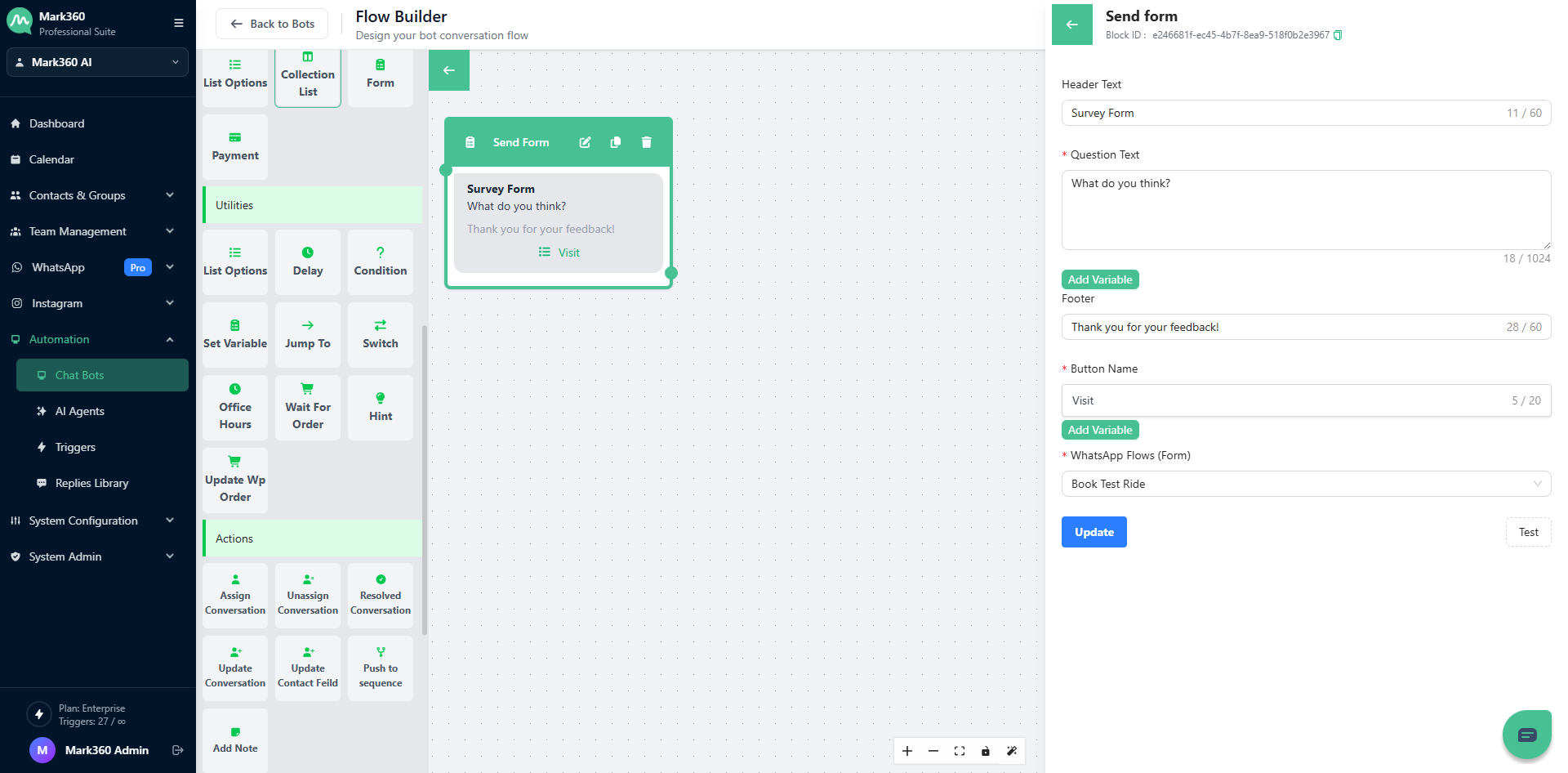
Click on the Edit (pencil) icon to modify text, actions, or logic within any card. This ensures your bot’s communication stays fresh and relevant.
Delete a Card
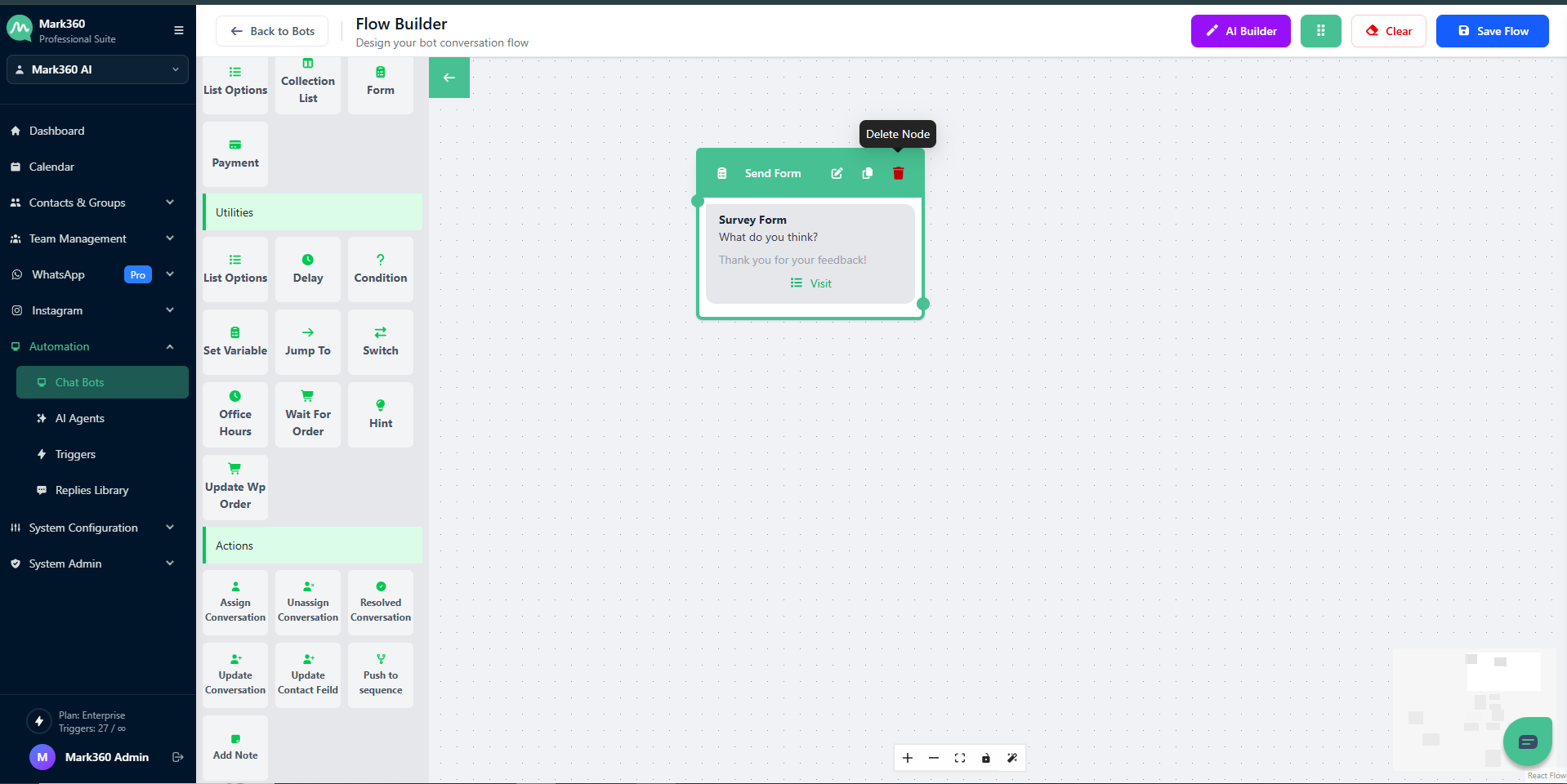
To remove unnecessary or outdated cards, click the Delete icon.
Once deleted, the card will be permanently removed from your flow — so double-check before confirming!