Create a Bot from Scratch in Mark360
Overview
Building a bot from scratch in Mark360 gives you full control over your chatbot design, allowing you to craft conversations that perfectly match your business needs.
With a blank canvas, you can:
- Design custom bot flows tailored to your users.
- Define personalized messages for each interaction.
- Capture user responses using variables for dynamic conversations.
- Set up actions like pushing data to your CRM or triggering other workflows.
Plan your ideal customer journey and create a bot that delivers seamless, engaging, and fully personalized interactions.
Steps to Create a Bot from Scratch in Mark360
Follow these steps to build a fully customized bot from scratch:
- Bot Details
-
Name – Enter a meaningful name for your bot.
-
Select Channel Type – Choose the communication channel (e.g., WhatsApp, Instagram , etc.).
-
Select Library Category – Pick a category from your bot library to organize it.

- Session Settings
-
How long the bot can wait for reply? – Specify the wait time in seconds before the bot considers the contact inactive.
-
What message should the bot send? – Enter the message the bot should automatically send after the designated wait time.

- Actions on Session Expiry
-
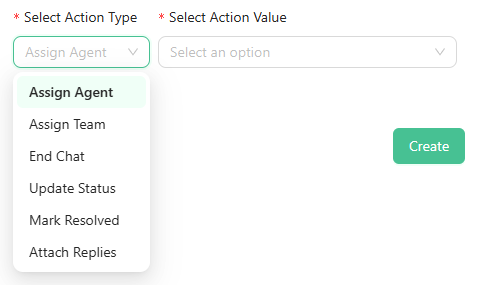
Select Action Type – Choose what the bot should do after the wait time expires. Options include:
- Assign Agent
- Assign Team
- End Chat
- Update Status
- Mark Resolved
- Attach Replies
-
Select Action Value – Depending on the action type, choose the relevant agent, team, status, or reply.
- Create Bot Once all fields are filled, click the Create button to add your bot to Mark360.
This interface ensures your bot can handle inactive users, trigger the right actions, and maintain smooth conversation flow.