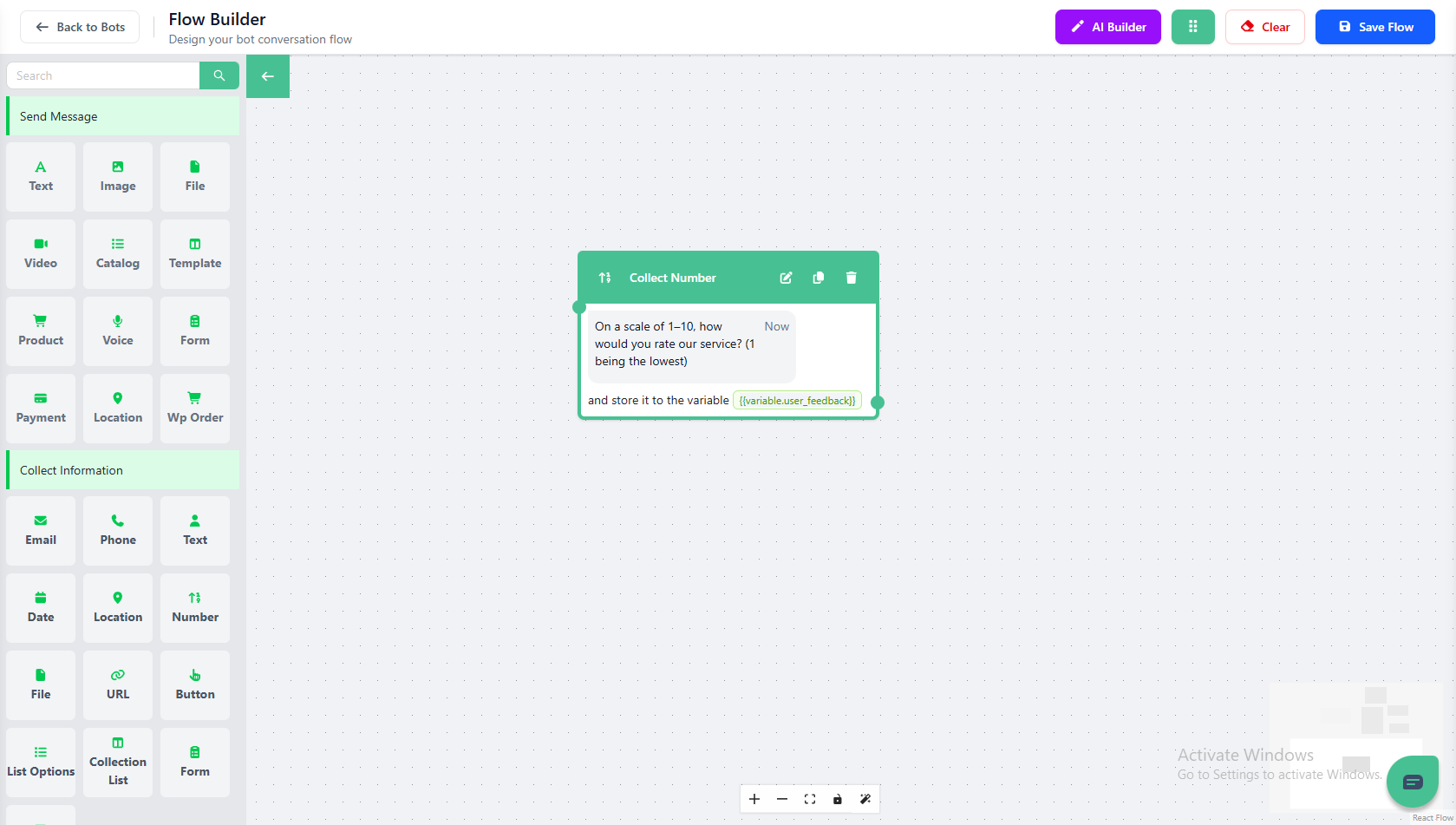
Collect Number
Explore the power of the “Collect Number” card in Mark360. This card helps you gather numeric input from users and store it in a predefined variable for use throughout your bot flow.
Understanding Collect Number
The Collect Number card is designed specifically to capture numbers from users — whether it’s a rating, quantity, age, or any numeric value you need.
This makes it an essential tool in Mark360 for surveys, lead qualification, or data collection.
Each response can be stored in a variable, allowing you to reuse the value in later steps for personalization or analysis.
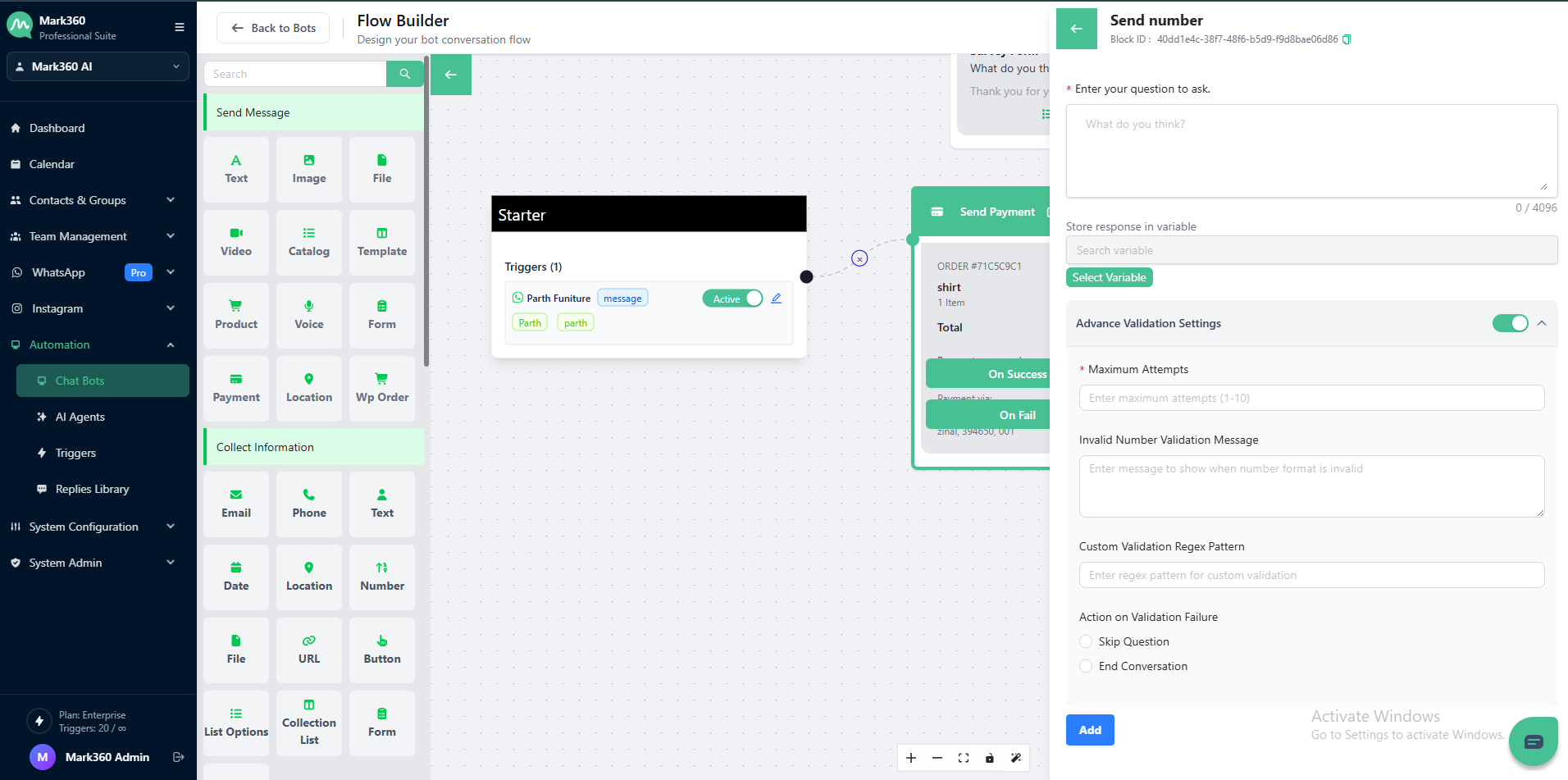
Collect as Text Essentials
Enter Your Question to Ask
This is the message your bot will send to the user.
Keep it simple and precise so users know they need to respond with a number.
💡 Tip: Clearly mention the valid range or format (e.g., 1–10) to avoid confusion.
Implementation Example
Let’s say you want to ask customers to rate your service on a scale from 1 to 10.
The Collect Number question type with validation settings ensures that users provide valid numeric responses only.
Example Enter Your Question to Ask:
On a scale of 1–10, how would you rate our service? (1 being the lowest)

Store User Response:
You can create a variable, for example user_feedback, to save the user’s numeric response for later use in your workflow.

Additional Validation Settings
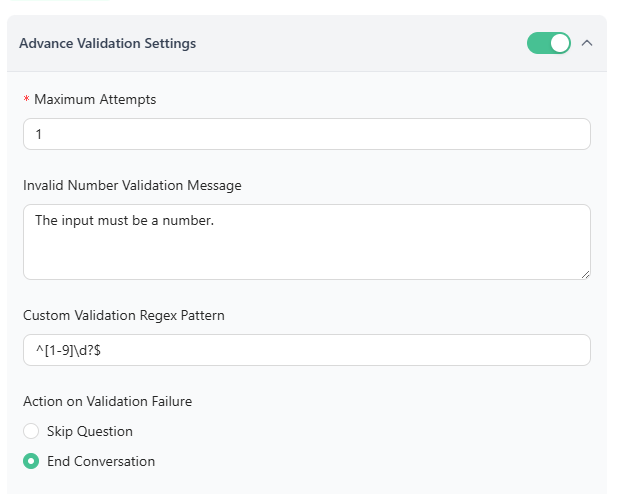
- Attempt Limit:
1 - Validation Error Message: (optional)
- Action on Invalid Response: Define what the bot should do if the user’s input doesn’t match the validation rule (e.g., Skip Question or End Conversation ).
Regex for Number Validation
To ensure the input is valid and within range, use this regular expression: ^[1-9]\d?$
Validation Criteria
-
The input must be a number.
-
The value should be between 1 and 9 (inclusive).
-
Any non-numeric or out-of-range response will be treated as invalid.
✅ Pro Tip: Use the Collect Number card in Mark360 to create feedback flows, satisfaction surveys, or rating systems that capture structured numeric data with accuracy.
In Mark360 Bot Interface: