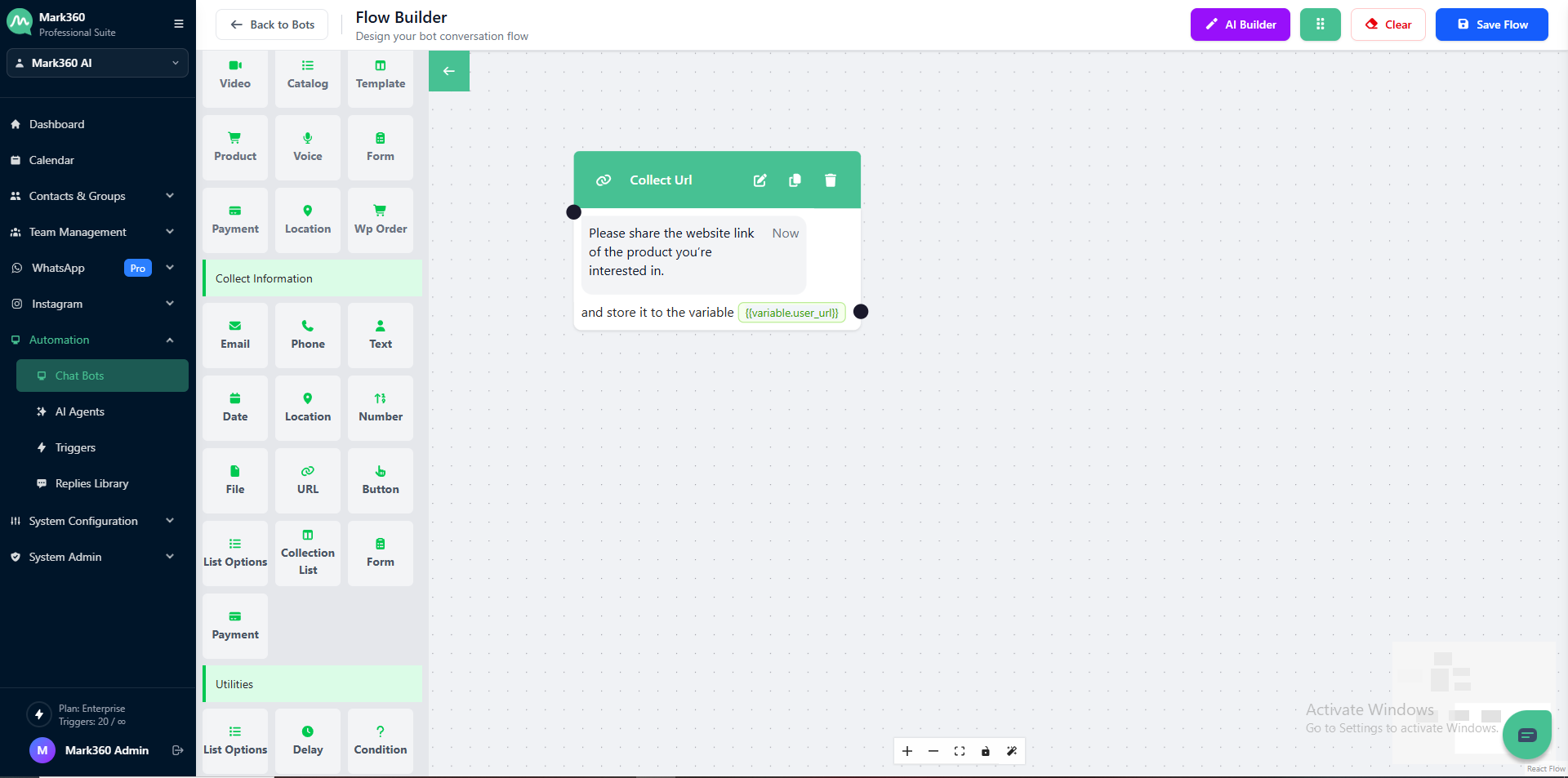
Collect URL
Use the Collect URL card in Mark360 to request URLs from your users and store them as variables.
Enable Regex Validation to ensure the provided link matches the required format and keep your data accurate.
Overview
The Collect URL card allows you to gather website links or any valid URLs from users within your chatbot flow.
You can set validation rules to make sure only proper URLs are accepted.
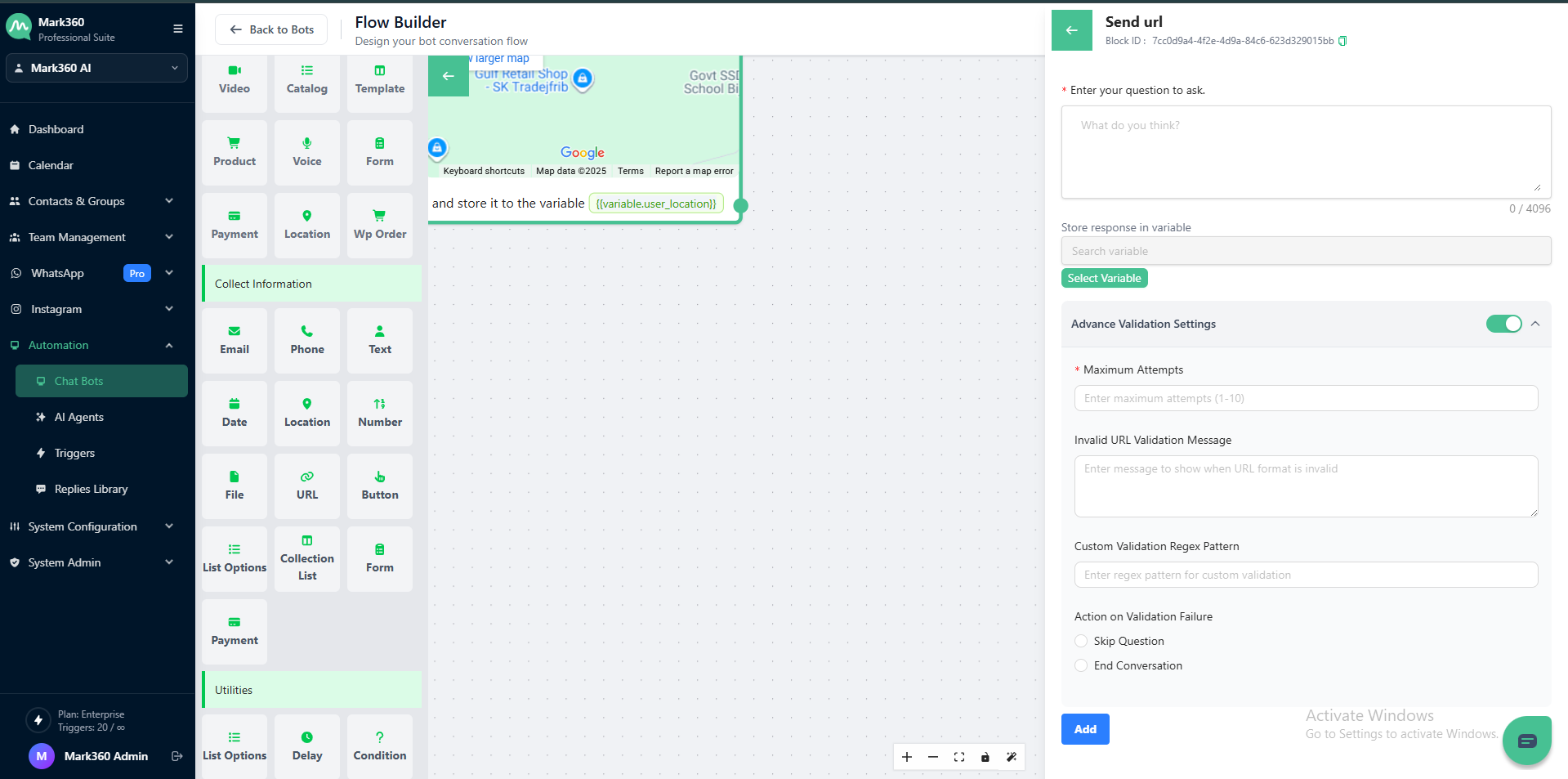
Ask as Text Essentials
Make your questions simple and clear to improve user experience.
Question Text
This is the message that appears to your users asking for a URL.
Be specific so they know what kind of link to share.
💬 Example Question:
Please share the website link of the product you’re interested in.
Store Response in Variable
Use variables to store the collected user response for later automation or follow-up actions.
For example: {{variable.user_website_url}}
This allows you to reuse the provided link in upcoming messages, templates, or system actions for a personalized chat experience.
Advance Validation Settings
Enable Advanced Validation to make sure the input meets URL standards.
Maximum Attempts
Set how many times a user can retry entering the correct URL.
(Example: 3)
Invalid URL Validation Message
Customize the message users will see when they provide an invalid URL.
(Example: “That doesn’t look like a valid URL. Please try again.”)
Custom Validation Regex Pattern
Add a custom regex to validate specific types of links.
Example URL Regex Validation:
^(https?:\/\/)?([\w\-])+\.([a-z]{2,6})([\/\w\-._~:?#[\]@!$&'()*+,;=]*)?$
Action on Validation Failure
Choose what happens when the user enters an invalid URL multiple times:
-
Skip Question — Continue to the next question in the flow.
-
End Conversation — Stop the conversation if the user repeatedly provides invalid input.
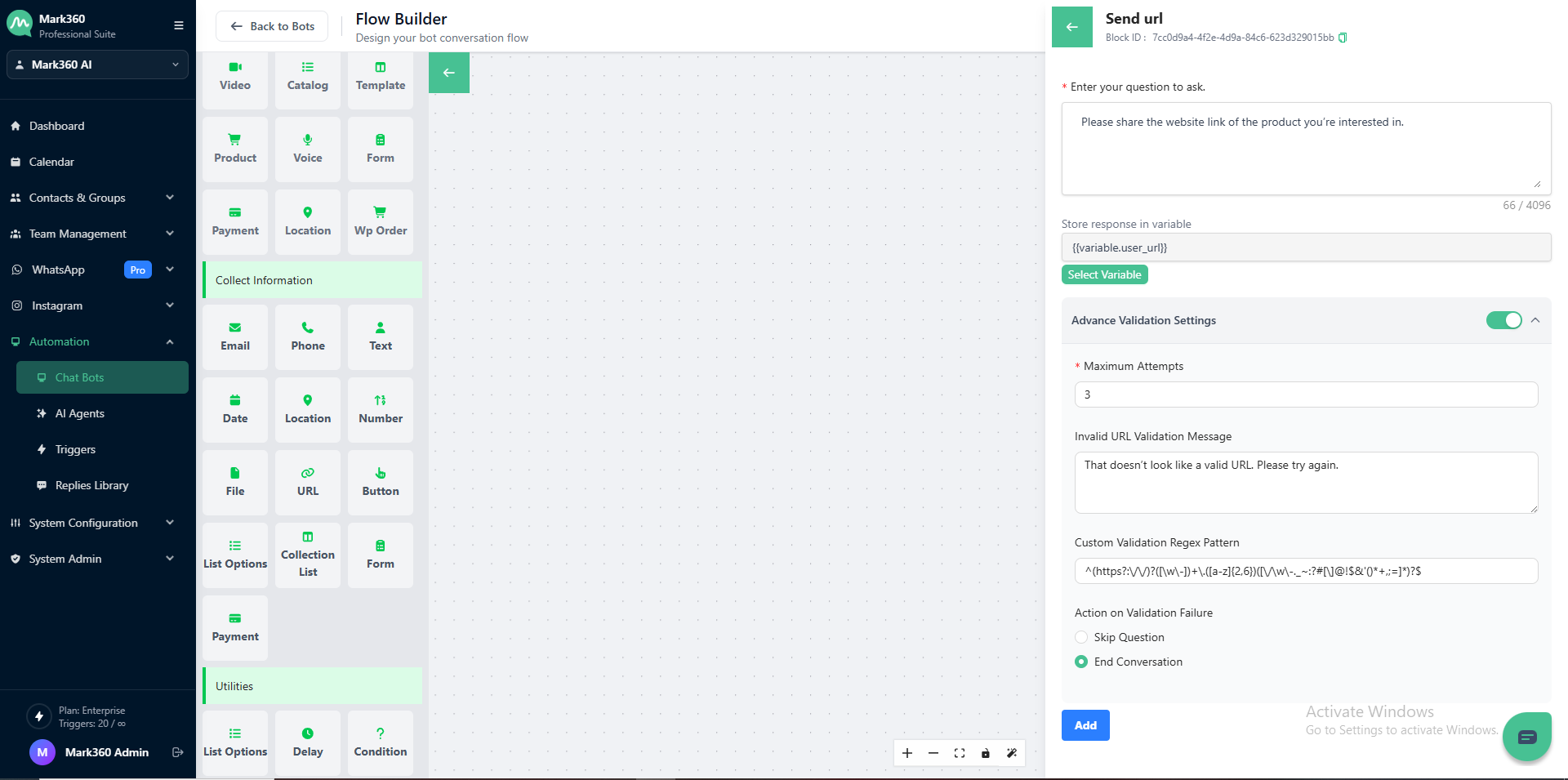
In Mark360 Bot Interface: