Send Location
Discover how to easily share specific locations with others using the "Send Location" feature. Learn how to provide directions and essential details about a place.
Understanding "Send Location"
The "Send Location" feature allows users to share a specific location with others. This feature is commonly used to provide recipients with directions about a particular place.
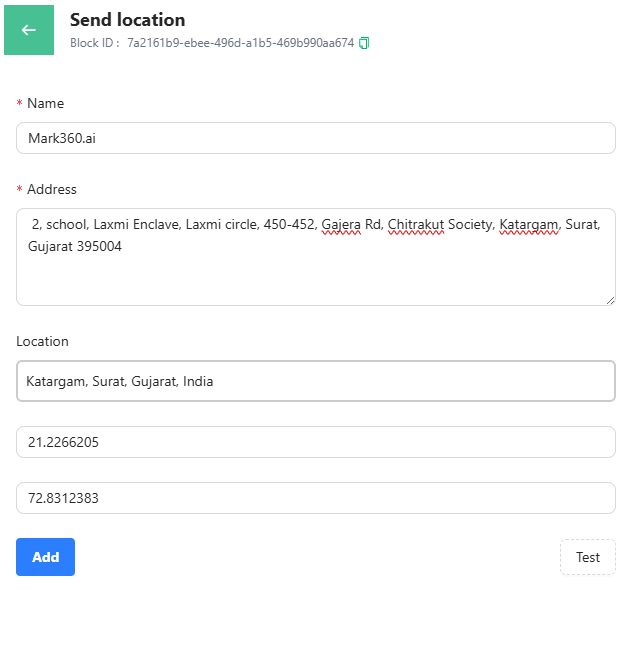
Send Location Essentials:
The Send Location feature allows you to share a specific static location within a chat flow.
When using this card, users are prompted to provide the following details:
Name
Specify the name of the location being shared.
It could be a landmark, office name, or your company’s name.
Address
Enter the full address of the location, including details such as street name, building number, city, and country.
Location
There are two ways to specify the location:
-
Search Location:
Type the location name or address in the search bar.
You can also click View in Map to verify the correct location visually. -
Latitude & Longitude:
Alternatively, enter the latitude and longitude coordinates directly for precise positioning.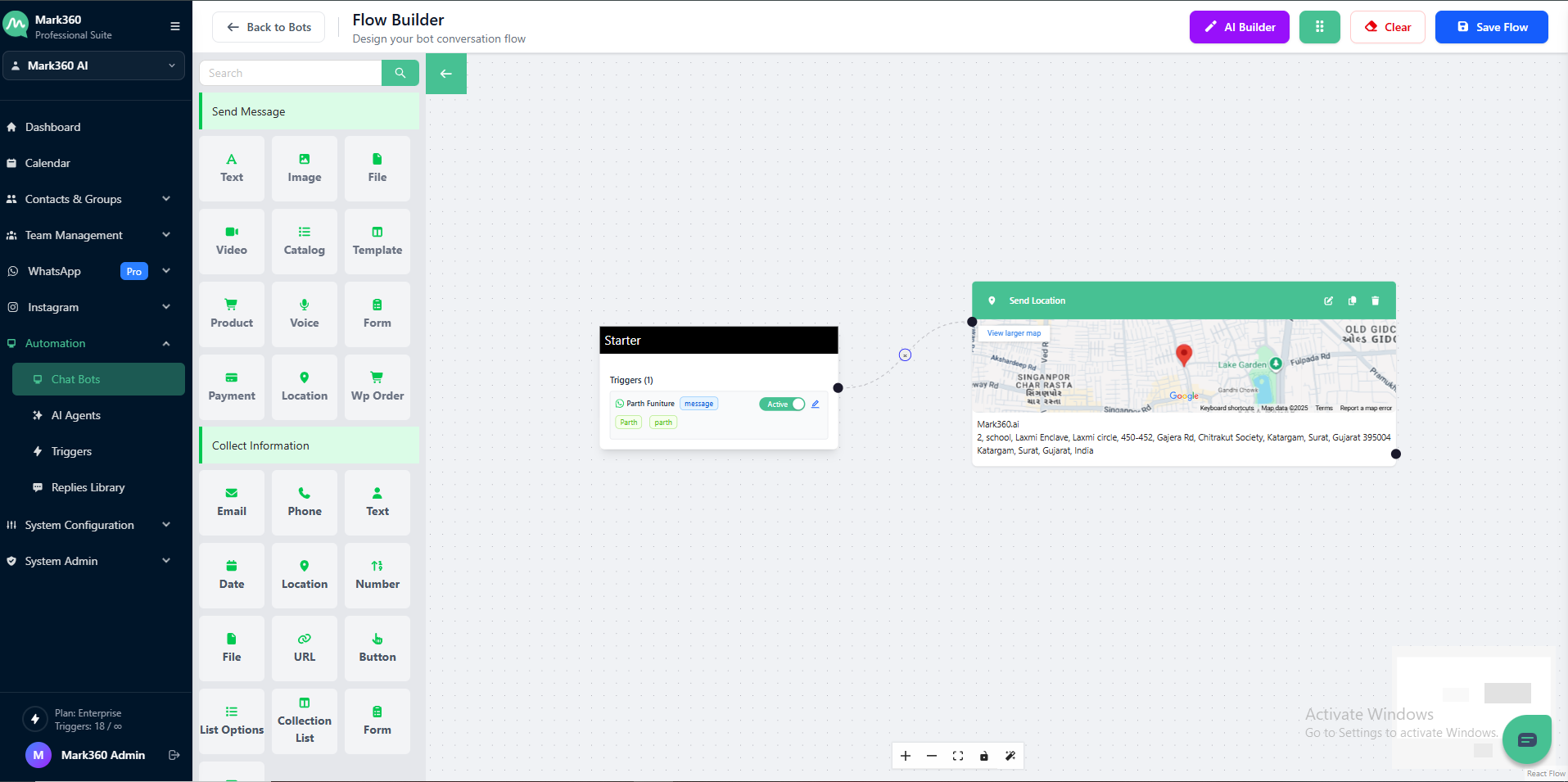
Note:
Only static locations can be shared using this feature.
Real-time locations (which continuously update as a user moves) are not supported via the WhatsApp Business API.