WhatsApp Order
Easily send your customers their latest WhatsApp order details directly within a conversation. This feature ensures customers stay informed about their recent purchases, improving transparency and communication.
Send WhatsApp Order Details
This node automatically sends the user’s current WhatsApp order details message. It helps businesses quickly share order confirmations, summaries, or updates without manual effort.
Tip: Use this node to enhance your customer experience by keeping them updated about their most recent orders.
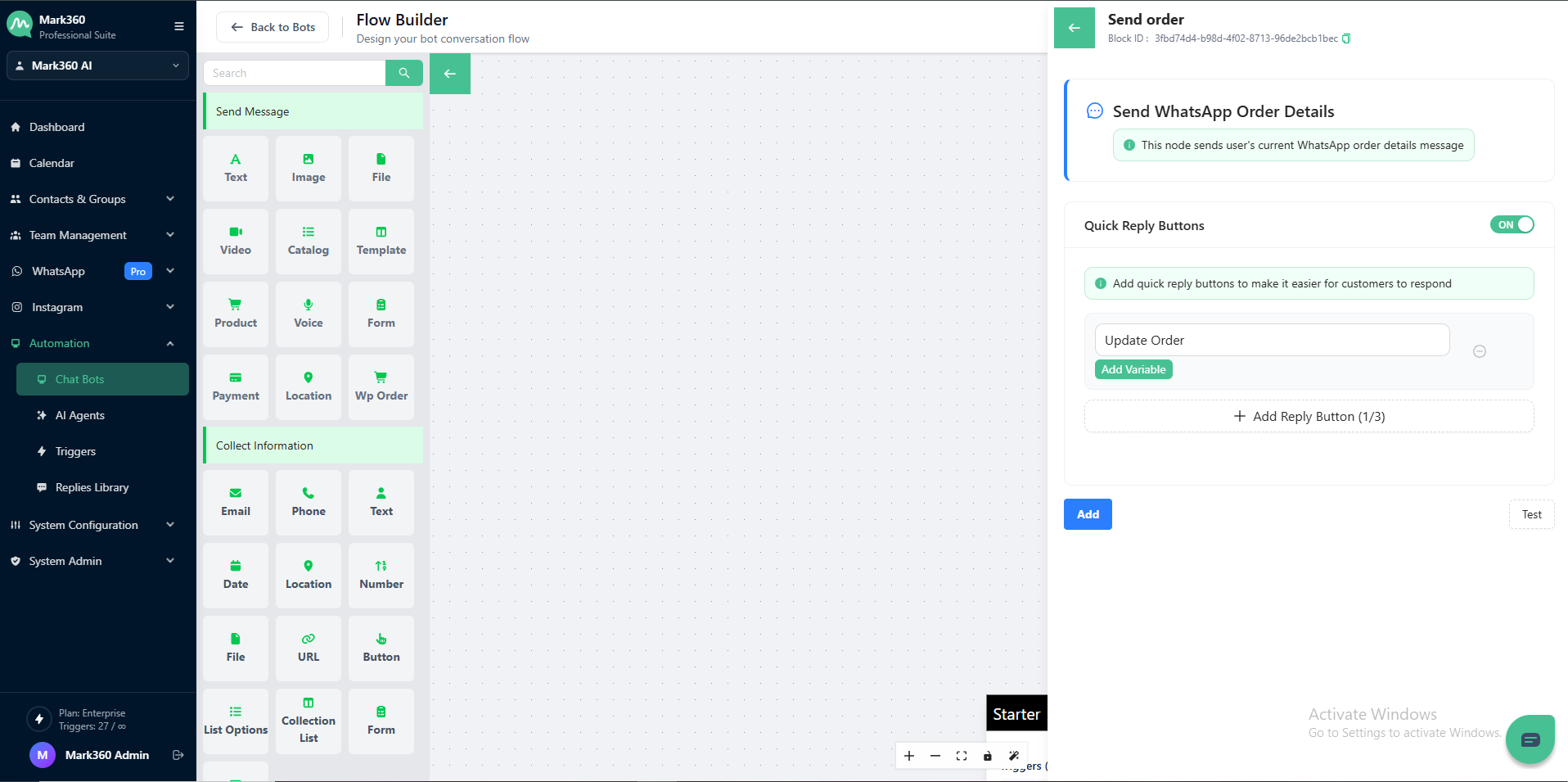
Quick Reply Buttons
Enable Quick Reply Buttons to make it easier for customers to respond instantly.
You can add up to 3 reply buttons based on your use case.
For example:
- Update Order
- Track Order
- Cancel Order
To add a button:
- Turn on the Quick Reply Buttons toggle.
- Enter a button label (e.g., “Update Order”).
- (Optional) Add a variable if needed.
- Click Add Reply Button — you can add up to three.
Once configured, customers can simply tap a button to respond, improving engagement and response rates.
Example Use Case
When a customer places an order, the bot can automatically send:
“Here are your order details for your recent purchase.”
With quick reply buttons:
- Update Order
- View Summary
- Contact Support
This creates a smooth, interactive experience within WhatsApp.
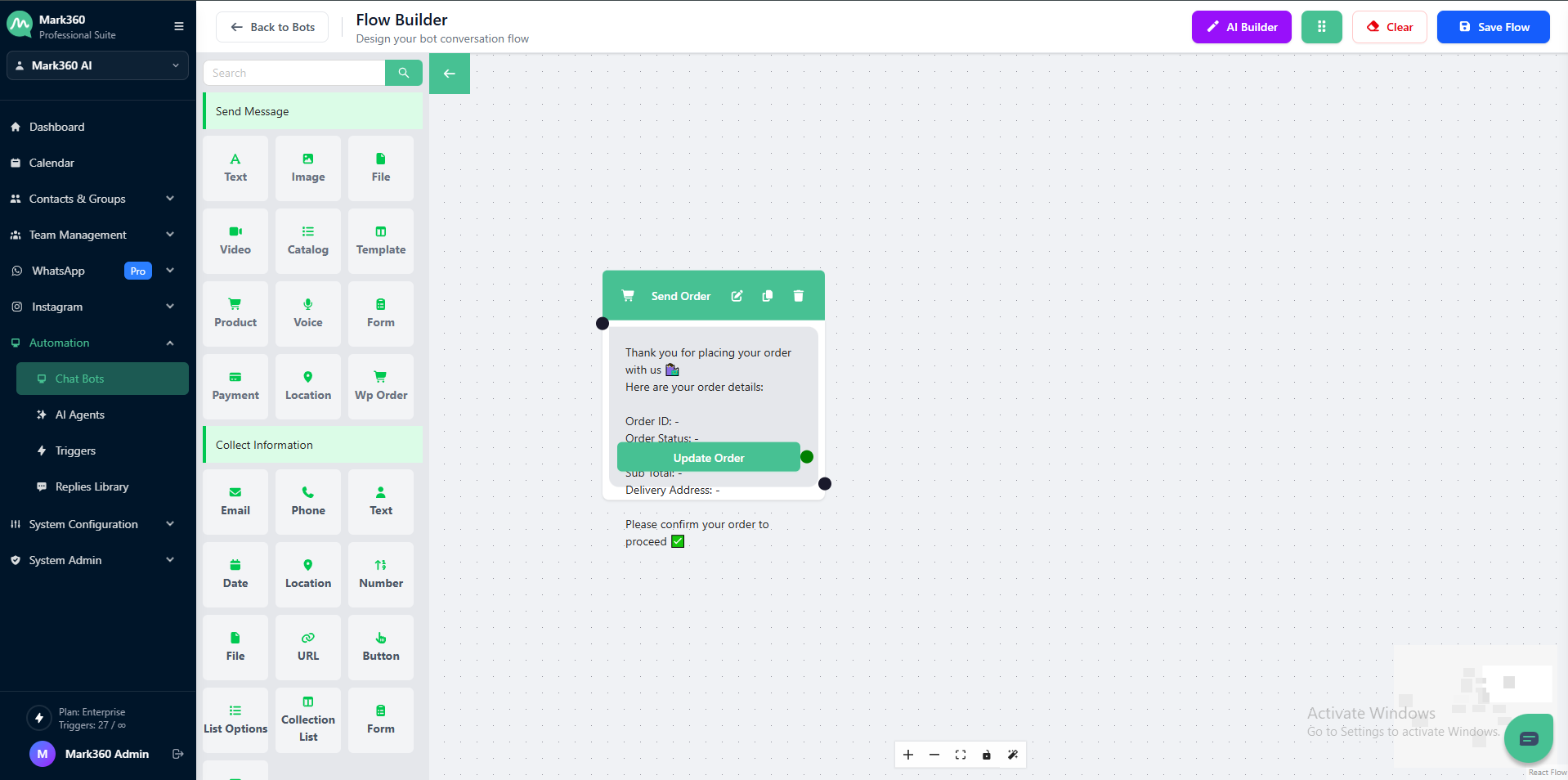
You’re now ready to send WhatsApp Order Details seamlessly to your customers!