Contact Groups
What are Contact Groups?
In Mark360.ai, Contact Groups let you build dynamic segments of your contact list using conditions such as First Name, Email, Tags, or any other contact field. This makes it easy to filter, organize, and precisely target the right audience.
By grouping contacts with specific rules, you can personalize communication, boost campaign performance, and automate journeys for different customer segments.
How to Create a Contact Group?
Creating a Contact Group in Mark360.ai is super simple. Follow these steps:
Step-by-Step Guide:
-
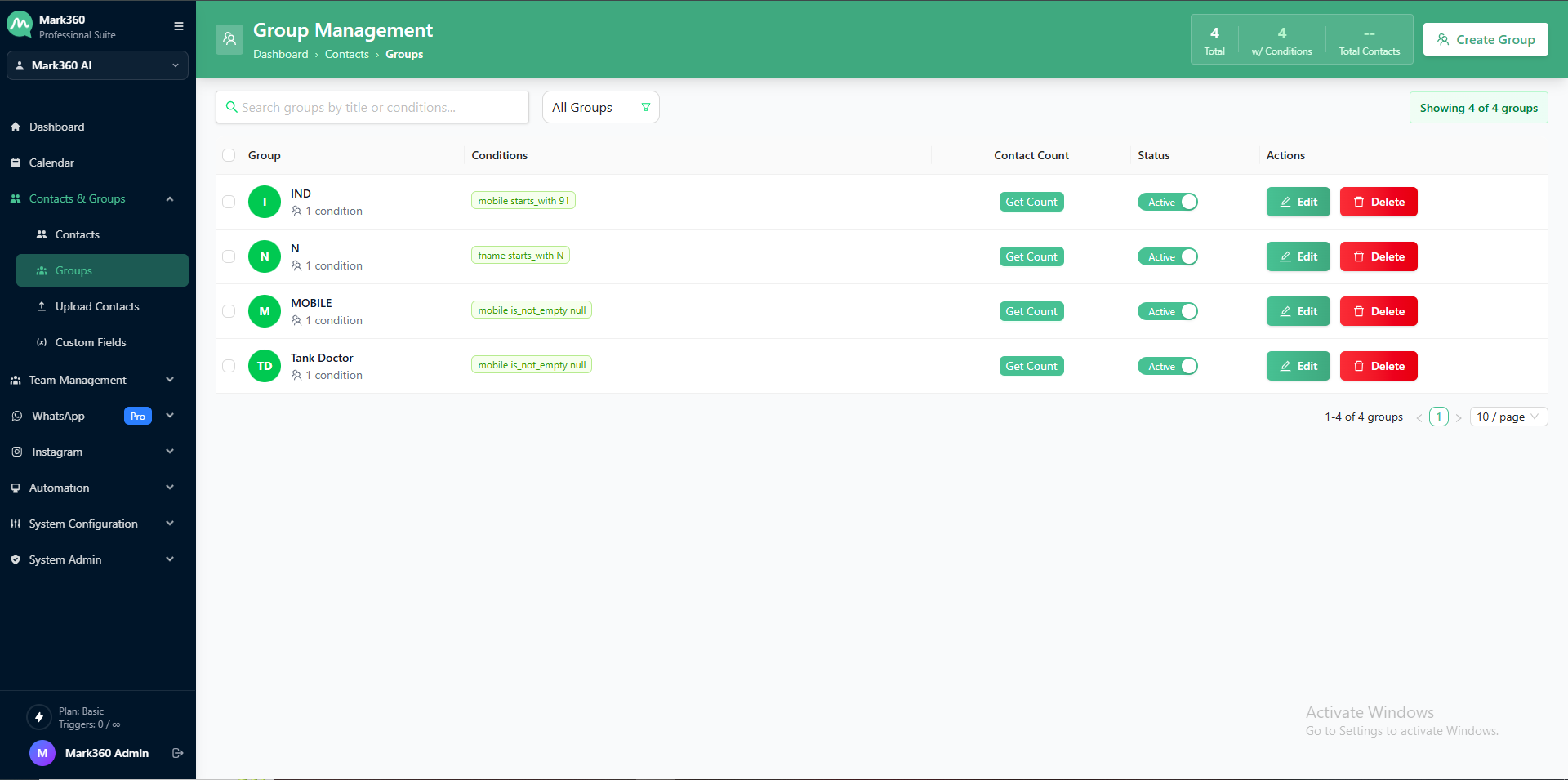
Navigate to the Contacts & Groups section from the left-hand panel of your Mark360.ai dashboard.
-
Click on the "Groups" tab and then hit "Create Group" — this will open a popup.
- On the top-right corner, click the ➕Create Group button.
-
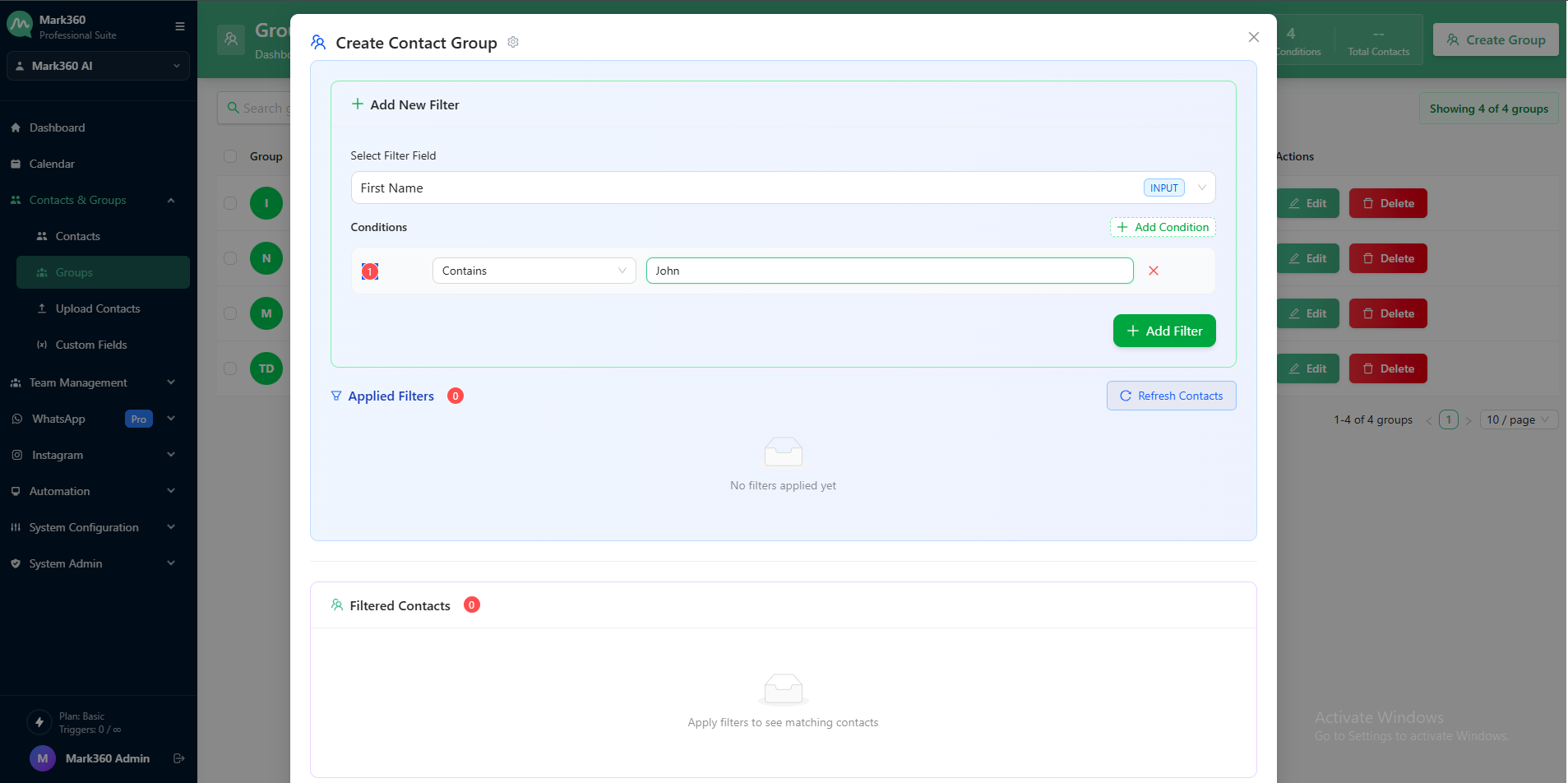
In the popup:
- Choose a Contact Field such as
First Name,Email,Tag, etc. - Set your Condition, like:
isis notcontainsdoes not containstarts withends with
- Enter the value you want to match (e.g.,
First Name contains "John").
- Choose a Contact Field such as
-
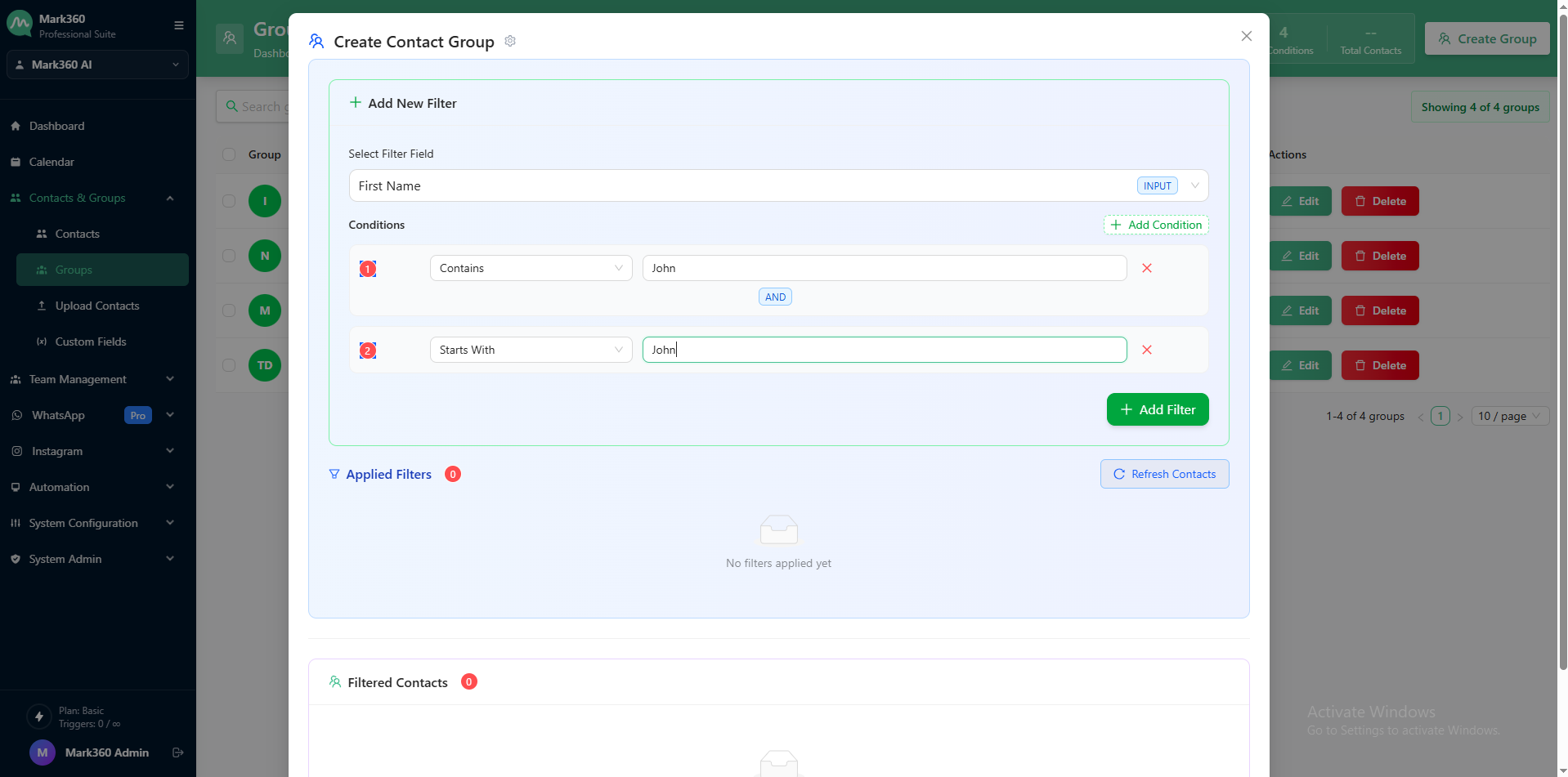
You can add multiple filters with AND/OR logic for precise targeting.
-
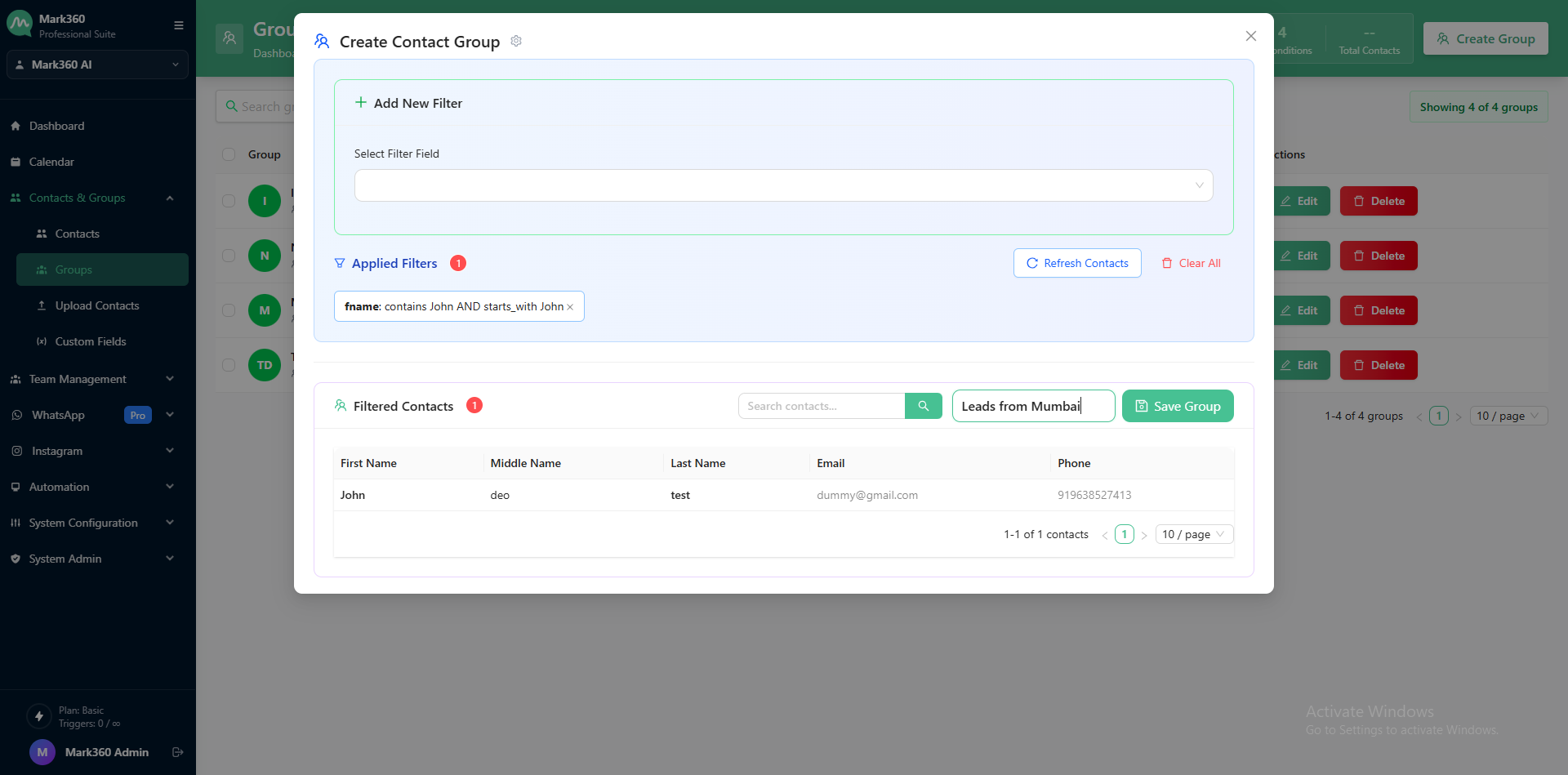
Once you've filtered the contacts based on your conditions, give your group a name (e.g., "Leads from Mumbai" or "High-Intent D2C").
-
Click "Save Group", and your group will be created instantly.
This group can now be used for:
- Sending WhatsApp Campaigns
- Building Automation Flows
- Creating Targeted Broadcasts
- Managing customer journeys more effectively
Why Use Contact Groups?
- Hyper-targeted campaigns based on custom filters
- Smart segmentation using dynamic rules
- Relevant & timely messaging to the right audience
- Higher engagement & conversion rates
Need to update an existing group? Click the group name, edit the filter rules in the popup, and save again. Mark360.ai gives you full control over your contact segmentation.