Shopify Bot
Seamlessly connect your Shopify store with Mark360’s AI bot to automate eCommerce conversations like order tracking, product search, and more.
Overview
The Shopify AI Bot integration allows you to automate common Shopify-related customer queries.
From checking order status to managing return requests, the bot ensures faster and smarter interactions with your customers — directly within your WhatsApp or chat flow.
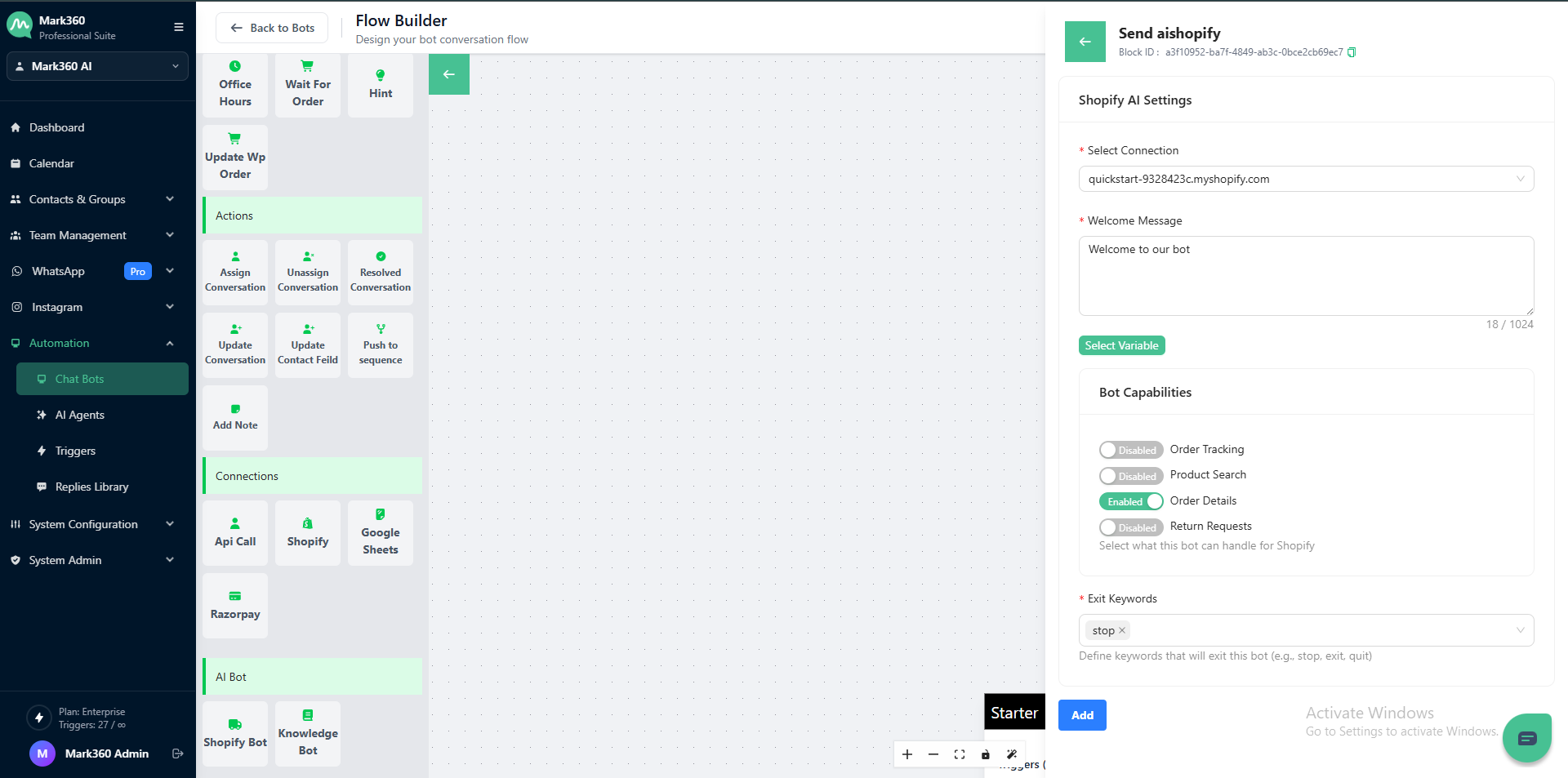
Shopify AI Settings
1. Select Connection
Choose the Shopify connection you want to link with your AI bot.
This connects your bot to your Shopify store’s backend for real-time data access.
Note: Ensure your Shopify account is already connected in System Configurations → Integrations → Shopify before selecting it here.
2. Welcome Message
Enter a custom welcome message to greet users when they start interacting with your Shopify AI bot.
Example:
“Hi there 👋! I’m your shopping assistant. How can I help you today? You can track orders, search for products, or check order details.”
You can also click Select Variable to dynamically include variables such as the user’s name or order details.
Bot Capabilities
Define what your Shopify AI bot can handle. Toggle each option to enable or disable specific capabilities:
| Capability | Description |
|---|---|
| Order Tracking | Lets customers check the live status of their orders using order ID or phone number. |
| Product Search | Allows users to find products available in your Shopify store. |
| Order Details | Displays complete order information such as items, payment mode, and shipping address. |
| Return Requests | Enables customers to raise and manage return or refund requests. |
Tip: You can enable multiple capabilities for a single bot based on your business needs.
3. Exit Keywords
Add keywords that will end the Shopify bot conversation.
Example:
stop, exit, quit, end
These keywords help users exit the chat flow gracefully at any point.
Add and Save
After configuring all the fields:
- Review your Shopify AI settings.
- Click Add to save and activate your Shopify AI bot.
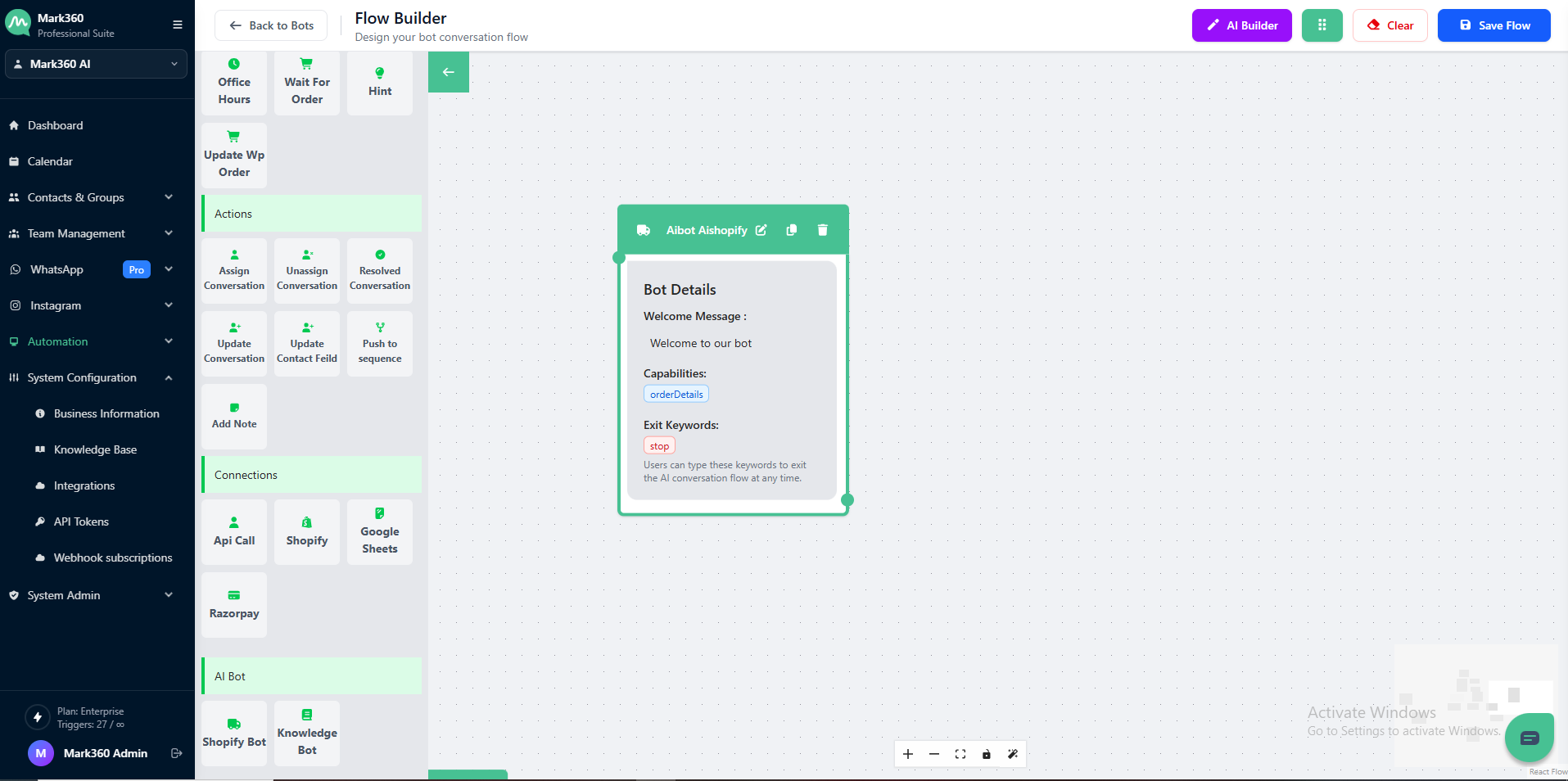
Once provided, the bot fetches and displays the live order details instantly — without any manual effort.