Delay
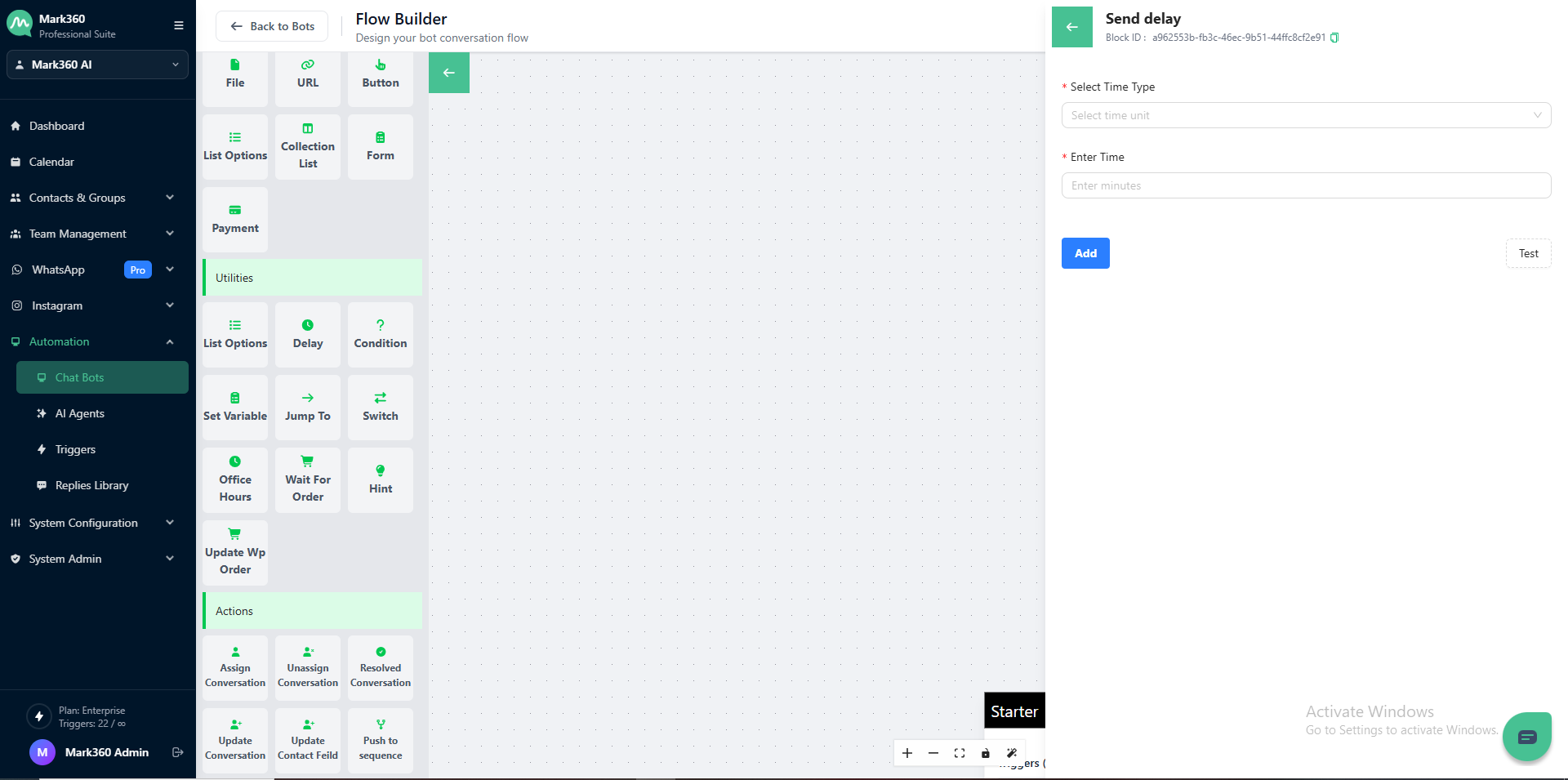
Optimize your chat-flow with Mark360's Delay Card feature, enabling you to add delays of minutes or hours for a smoother interaction. Ensure your session TTL is longer than the delay time.
There might be a situation when you would like to wait more than seconds for the user's response and then send the next message.
This is where the Delay Card in Mark360 comes into picture. You can add a delay of some seconds, minutes or hours.
For Instance, if you have asked the user for any document, it is recommend to use the Delay card after the Send card to keep the conversation flowing. Refer to the below screenshot for more clarity.
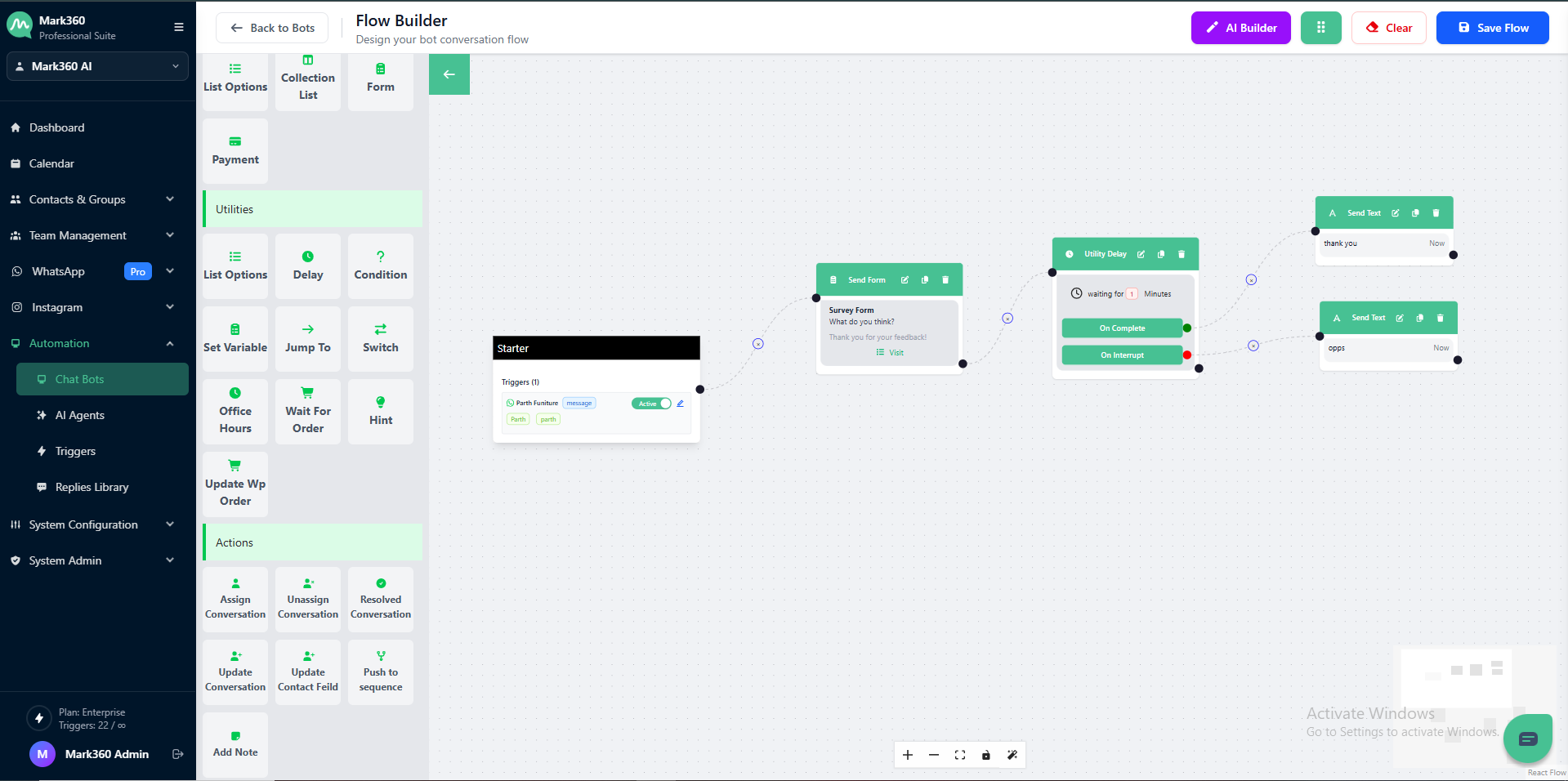
In the above screenshot, the flow is extended accordingly for On Completion and for On Interrupt conditions.